13
English
Photo mode options
Pan
Edit slideshow
# Icon Description
1
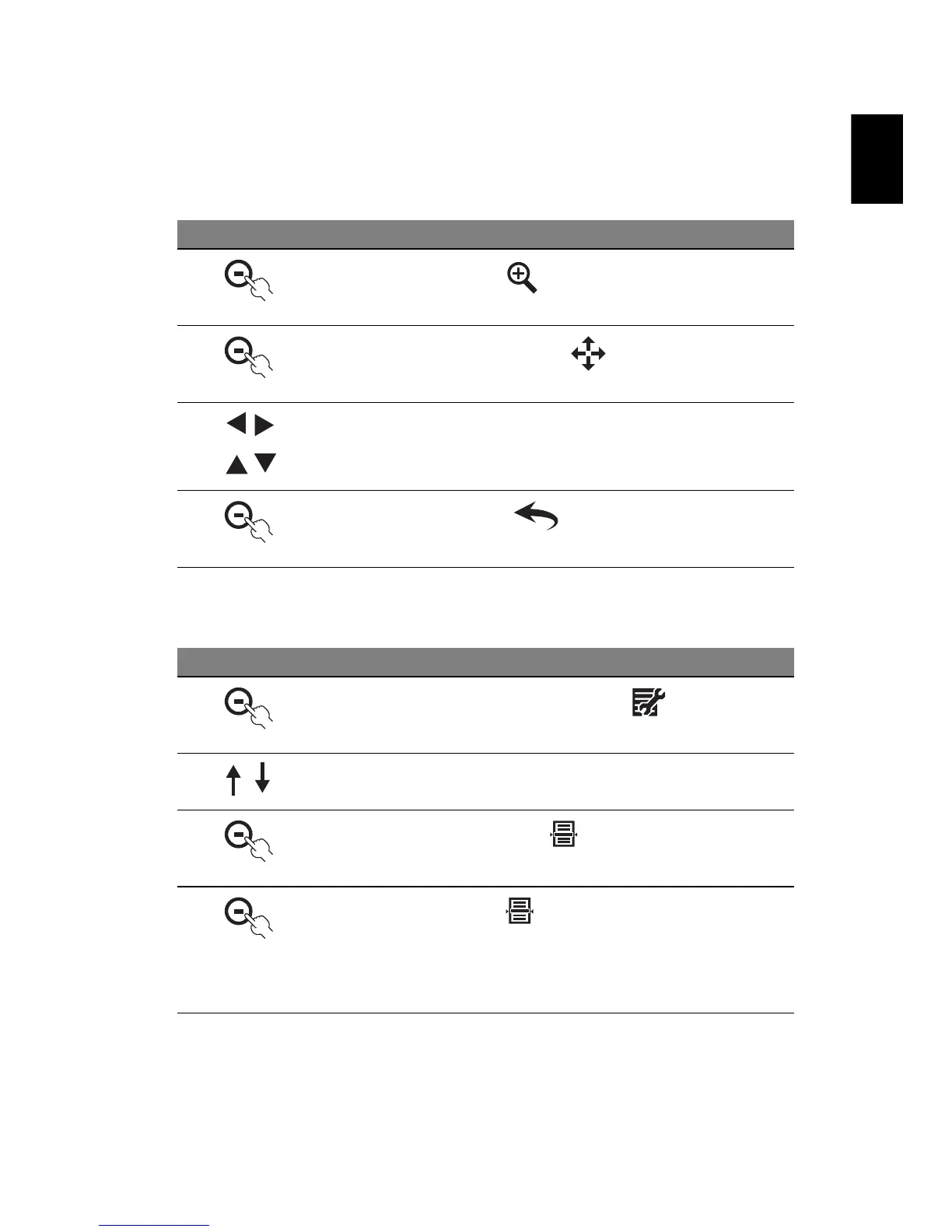
Press the button under to enlarge an image
2
You can press the button under to pan an image
3 Use the navigation controls to move to a particular area you
want to see
4
Press the button under to return to Photo mode
# Icon Description
1
In Photo mode, press the button under
2 Press the up/down button to select Edit Slideshow
3
Then press the button under
4
Press the button under to select or deselect an image
that you want to see in the slideshow
A ticked thumbnail means the image is selected. An
unticked thumbnail means the image is not selected



 To Next Page