EasyManua.ls Logo

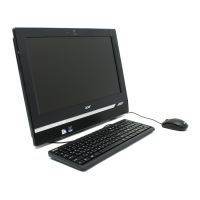
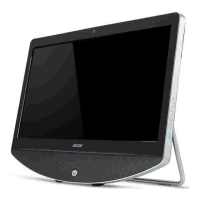
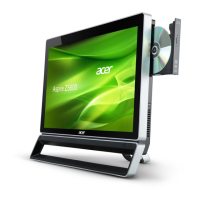
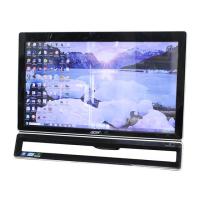
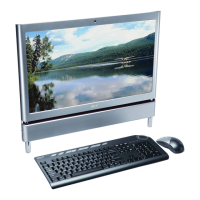
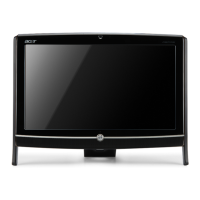
Acer Aspire Z1650 - User Manual

Acer Aspire Z1650
152 pages
Print Icon
To Next Page IconTo Next Page
Loading...
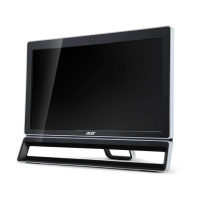
Aspire Z1650
All-In-One Computer Service Guide
PRINTED IN TAIWAN
Service guide files and updates are available
on the Acer/CSD web site; for more
information, go to
http://csd.acer.com.tw

Table of Contents

Questions and Answers

  • L
    Lindsey LoweAug 17, 2025
    How to resolve 'CMOS Date/Time Not Set' error on Acer Aspire Z1650?
    • E
      Erica BrockAug 17, 2025
      The 'CMOS Date/Time Not Set' error indicates that the CMOS date and/or time are invalid. You can fix this by readjusting the system time in AMIBIOS Setup.
  • R
    Richard WiseAug 20, 2025
    What to do if I see 'CMOS Checksum Bad' error on my Acer Aspire Z1650 Desktop?
    • M
      Maria HarrisonAug 20, 2025
      The 'CMOS Checksum Bad' error means the CMOS data has been altered or the CMOS is malfunctioning. You can typically resolve this by using AMIBIOS Setup.
  • F
    fleeAug 23, 2025
    How to fix 'CMOS Settings Wrong' error on Acer Aspire Z1650?
    • P
      Patricia WilliamsAug 23, 2025
      The 'CMOS settings wrong' error indicates that the CMOS settings are invalid. This can be resolved by using AMIBIOS Setup.
  • L
    Linda ParkerAug 26, 2025
    What does 'Invalid Boot Diskette' mean on Acer Desktop?
    • C
      carrie14Aug 26, 2025
      The 'Invalid Boot Diskette' message means that a diskette was found in the drive, but it is not configured as a bootable diskette.
  • M
    Mary GriffinAug 28, 2025
    What does 'Boot Failure' mean on an Acer Aspire Z1650?
    • M
      Matthew CraneAug 28, 2025
      The 'Boot Failure...' message is a generic message indicating that the BIOS could not boot from a particular device. This message is usually followed by other information concerning the device.
  • R
    Ryan SimsAug 31, 2025
    What does 'Parity Error' mean on Acer Desktop?
    • N
      nfloresAug 31, 2025
      Fatal Memory Parity Error. System halts after displaying this message.
  • J
    Joshua BarberSep 3, 2025
    Why does my Acer Aspire Z1650 show 'System Halted'?
    • A
      Amber DelgadoSep 3, 2025
      The 'System Halted' message appears after a fatal error has been detected. A reset or power cycle is required to reboot the machine.
  • F
    fbryantSep 5, 2025
    What does 'CMOS Memory Size Wrong' mean on Acer Aspire Z1650 Desktop?
    • L
      lauriesinghSep 5, 2025
      The 'CMOS Memory Size Wrong' error means that the base memory size reported in the CMOS mismatches the actual size detected. This may occur when the hole is set at 512K base memory or when CMOS is corrupted.
  • J
    jeffreygardnerSep 8, 2025
    What does 'Multi-Bit ECC Error' mean on Acer Aspire Z1650 Desktop?
    • A
      Alejandra EricksonSep 8, 2025
      This message will only occur on systems using ECC enabled memory modules. A multiple bit corruption of memory has occurred, and the ECC memory algorithm cannot correct it. This may indicate a defective memory module.
  • J
    James DonovanSep 12, 2025
    What does 'RAM R/W test failed' mean on Acer Desktop?
    • J
      Jane RobinsonSep 12, 2025
      This message is displayed by the AMIBIOS8 when the RAM read/write test fails.

Summary

Chapter 1 - Features and Specifications

System Features Overview

Details system features, physical specifications, and environmental requirements.

System Tour

Illustrates front, right, left, and rear views, detailing ports and controls.

Chapter 2 - System Utilities

CMOS Setup Utility

Introduces the CMOS Setup Utility, its purpose, access, and navigation.

BIOS Setup Menus

Details Main, Advanced, Power, Security, Boot, and Save & Exit menus.

Chapter 3 - System Disassembly and Reassembly

Disassembly Procedures

Lists tools, prep steps, and detailed procedures for component removal.

Reassembly Procedures

Provides step-by-step guides for reinstalling mainboard, speakers, and other components.

Chapter 4 - Troubleshooting

Diagnostic and Inspection Procedures

Covers hardware diagnostics, system checks, and internal/external inspections.

POST Errors and BIOS Recovery

Explains POST errors, memory/boot issues, and BIOS recovery steps.

CMOS Clearing

Details the procedure to clear CMOS data and reset BIOS settings.

Chapter 5 - System Architecture

Block Diagram

Depicts the computer's core subsystems in a block diagram.

Mainboard Layout

Identifies major components and their locations on the mainboard.

Chapter 6 - Field Replaceable Unit (FRU) List

Exploded Diagram and FRU Parts

Shows an exploded view and lists part numbers for replaceable units.

Appendix A - Model Definitions and Configurations

Approved Vendor List (AVL)

Lists approved vendors and their part numbers for various components.

Appendix B - Test Compatible Components

Appendix C - Online Support Information

Acer Aspire Z1650 Specifications

General IconGeneral
Operating SystemWindows 8
Wireless802.11 b/g/n
LANGigabit Ethernet
WebcamIntegrated
Card ReaderYes
USB Ports4 x USB 2.0
Weight6.3 kg
GraphicsIntegrated Intel HD Graphics
Resolution1920 x 1080
Optical DriveDVD Super Multi

Related product manuals