EasyManua.ls Logo

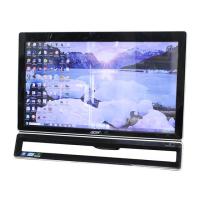
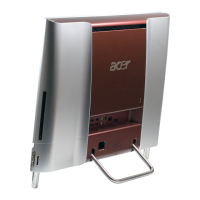
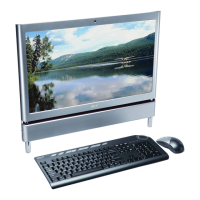
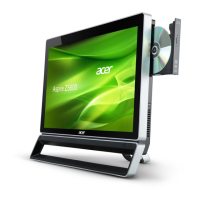
Acer Aspire Z5760 - User Manual

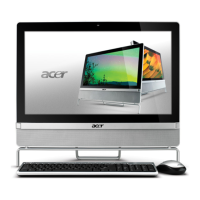
Acer Aspire Z5760
150 pages
Print Icon
To Next Page IconTo Next Page
Loading...
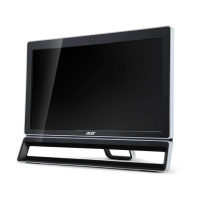
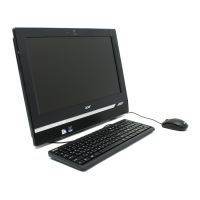
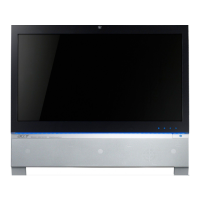
Aspire Z3760 / Z3761 / Z5760 / Z5761
All-In-One Computer Service Guide
PRINTED IN TAIWAN
Service guide files and updates are available
on the Acer/CSD web site; for more
information, go to
http://csd.acer.com.tw

Table of Contents

Questions and Answers

  • B
    Bruce CarrollSep 18, 2025
    What does 'Checking NVRAM... Update Failed' mean on an Acer Aspire Z5760?
    • N
      Nathan SnowSep 18, 2025
      This message on your Acer Desktop appears when the FLASH part is write-protected or if there is no FLASH part (System uses a PROM or EPROM).
  • M
    Melanie HowardAug 25, 2025
    What to do if I see a CMOS Battery Low error on my Acer Aspire Z5760 Desktop?
    • J
      Joseph MorrowAug 25, 2025
      If you are getting a 'CMOS Battery Low' message on your Acer Desktop, it usually means the CMOS battery needs replacing. It can also appear if the CMOS battery was intentionally discharged.
  • D
    Douglas FowlerAug 25, 2025
    What does 'Reboot and select proper boot device' mean on an Acer Aspire Z5760?
    • T
      tyler54Aug 26, 2025
      This message on your Acer Desktop indicates that the BIOS couldn't find a bootable device or that the removable media drive doesn't contain any media. Ensure that your boot device is properly selected.
  • M
    Michael JimenezAug 27, 2025
    What does 'S.M.A.R.T. Status BAD, Backup and Replace' mean on an Acer Aspire Z5760 Desktop?
    • L
      Latasha SmithAug 27, 2025
      This message on your Acer Desktop indicates an imminent failure detected by a S.M.A.R.T. capable hard disk. This message can be reported by an ATAPI device using the S.M.A.R.T. error reporting standard and may indicate the need to replace the hard disk.
  • K
    kimberly45Sep 22, 2025
    What does 'RAM R/W test failed' mean on an Acer Aspire Z5760 Desktop?
    • R
      Raymond AllenSep 22, 2025
      This message on your Acer Desktop is displayed by the AMIBIOS8 when the RAM read/write test fails.
  • R
    richardstuartSep 23, 2025
    What does 'System Halted' mean on an Acer Aspire Z5760?
    • A
      Alan RojasSep 23, 2025
      This message on your Acer Desktop means that the system has been halted. A reset or power cycle is required to reboot the machine.
  • L
    Leroy RichardsonSep 9, 2025
    What does 'Boot Failure...' mean on an Acer Aspire Z5760?
    • M
      Mrs. Rachael ReevesSep 9, 2025
      This is a generic message on your Acer Desktop indicating the BIOS could not boot from a particular device.
  • K
    Kelly PittsSep 12, 2025
    What does 'Drive Not Ready' mean on an Acer Aspire Z5760 Desktop?
    • J
      Jonathan BassSep 12, 2025
      This error on your Acer Desktop is often reported by drives when no media is present.
  • J
    Joseph BlackSep 3, 2025
    What does 'Insert BOOT diskette in A:' mean on an Acer Aspire Z5760?
    • J
      Jonathan SimpsonSep 3, 2025
      This message on your Acer Desktop means that the BIOS attempted to boot from the A: drive, but could not find a proper boot diskette.
  • L
    Lauren HarperSep 1, 2025
    What does 'Secondary Slave Hard Disk Error' mean on an Acer Desktop?
    • T
      Thomas ShortSep 1, 2025
      This message on your Acer Desktop is typically displayed when the BIOS is trying to detect and configure IDE/ATAPI devices in POST. It means that the IDE/ATAPI device configured as Secondary Slave could not be properly initialized by the BIOS.

Summary

Chapter 1 - Features and Specifications

Hardware Specifications

Detailed technical specifications for processor, chipsets, BIOS, and memory.

Chapter 2 - System Utilities

CMOS Setup Utility

Hardware configuration program built into system ROM for setting system options.

Accessing the Setup Utility

Step-by-step guide on how to enter and navigate the BIOS setup utility.

Chapter 3 - System Disassembly

Removing the Mainboard

Step-by-step guide to remove the system's mainboard.

Chapter 4 - Troubleshooting

Hardware Diagnostic Procedure

Steps to diagnose hardware failures by obtaining details and recreating symptoms.

System Internal Inspection

Detailed steps for inspecting internal components for troubleshooting.

Index of Symptom-to-FRU Error Messages

Cross-reference of symptoms to potential FRU replacements.

Beep Codes

Interpretation of beep codes indicating system status or errors.

Clearing CMOS

Steps to clear CMOS data and reset BIOS settings to defaults.

BIOS Recovery

Procedure for recovering the system BIOS if it becomes damaged.

BIOS Update

Procedures for updating the system BIOS.

Chapter 6 - Field Replaceable Unit (FRU) List

FRU Lists

Lists of Field Replaceable Units (FRUs) with part names and numbers.

Appendix B - Test Compatible Components

Acer Aspire Z5760 Specifications

General IconGeneral
RAMUp to 8GB DDR3
Display23-inch Full HD (1920 x 1080) touchscreen
Operating SystemWindows 7 Home Premium
ProcessorIntel Core i3, i5, or i7
GraphicsIntel HD Graphics
ChipsetIntel H61
Optical DriveDVD Super Multi
ConnectivityWi-Fi 802.11b/g/n
PortsUSB 2.0, HDMI, Audio
Storage500 GB or 1 TB HDD

Related product manuals