CG48 User Guide English21
• Aim Point: Display and Aim point on the screen for shooting games.
- Chrosshair: On or Off (default) (gray out all items)
- Position: Moving step (Vertical and horizontal)
- Color: White (default)/ Red/ Green/ Auto
- Icon: Select your desired aim point from Icon1 , Icon2 or Icon3 .
Select Off to disable this function.
Note:
Selected aim point is not displayed if PIP/PBP Mode function is enabled.
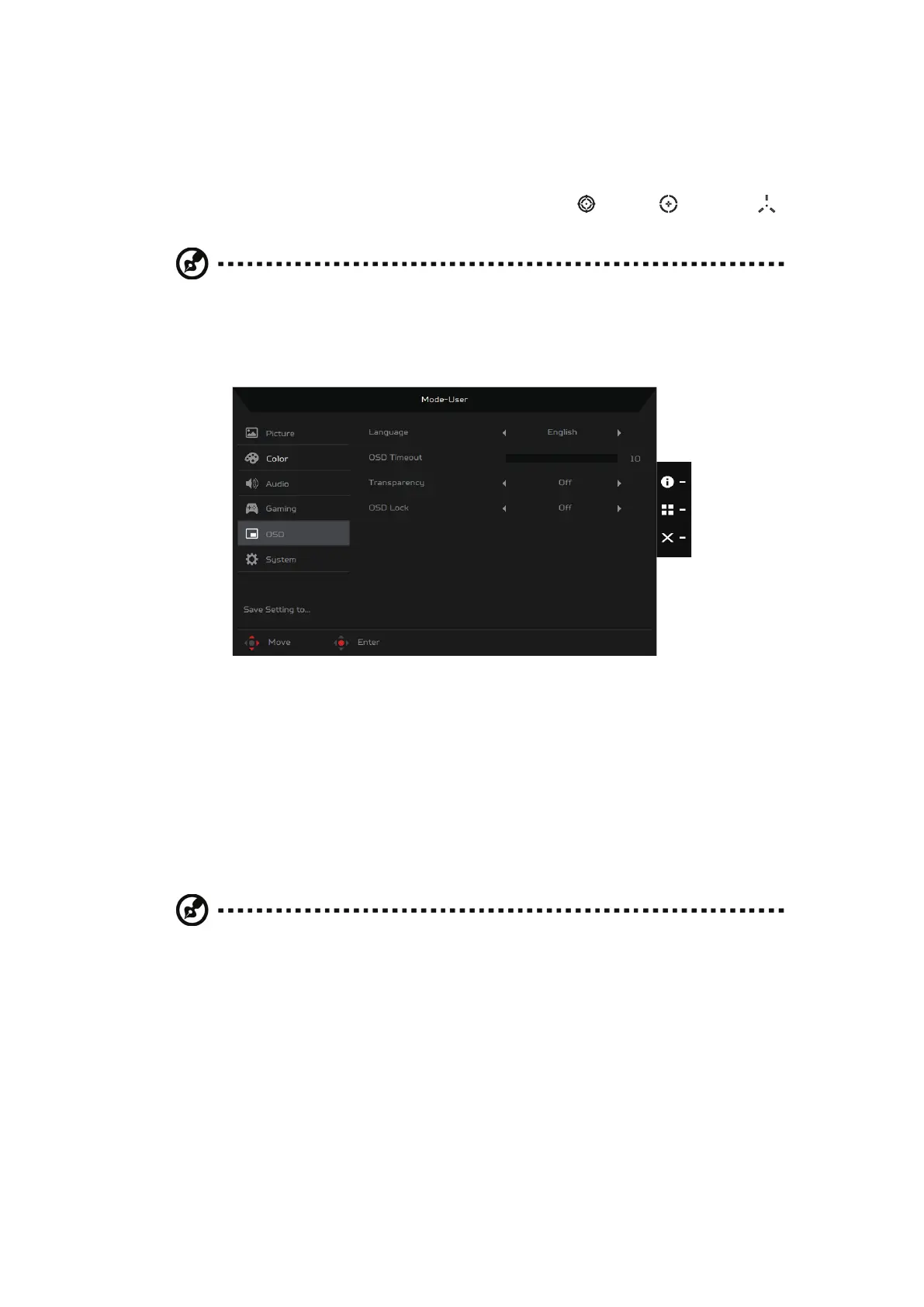
OSD
• Language: Select the OSD language from English, Russian, German,
French, Spanish, Italian, Dutch, Finnish, Turkish, Polish, Portuguese,
Brazilian Portuguese, Traditional Chinese, Simplified Chinese, Japanese
or Korean.
• OSD Timeout: Adjust the delay before turning off the OSD menu from 10 to 120 ms.
• Transparency: Select the transparency when using gaming mode from Off,
20%, 40%, 60% or 80%.
• OSD Lock: Select On to prevent unwanted access to the OSD menu or Off to
disable this function.
Note:
If you set OSD Lock to On, a notification appears on the screen informing
the OSD is locked (“OSD Locked”). During lock-state, you cannot use any
User Control keys. To unlock the OSD, press and hold the joystick for about 5
seconds until the “OSD Unlock” message is displayed on the screen.


 To Next Page