2
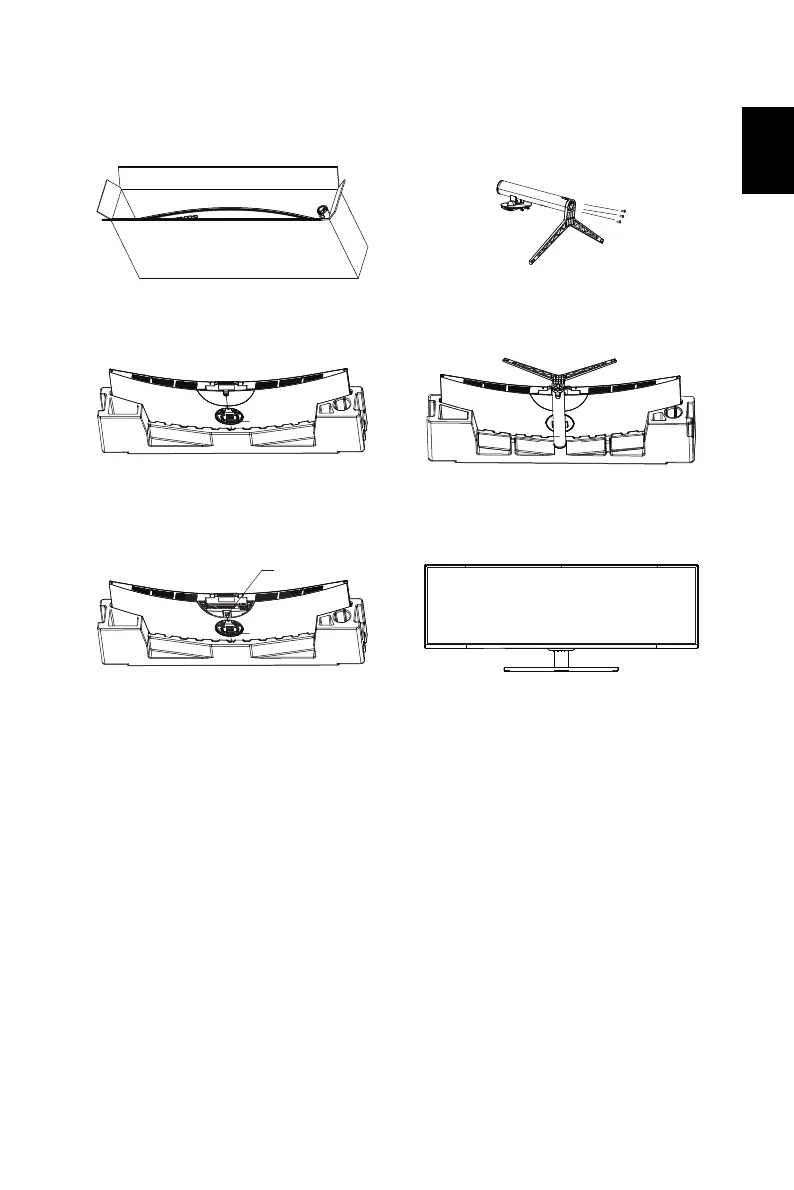
Attaching the monitor to the base
1. Unpack the box. Take out the styrofoam
and set it aside.
2. Tighten the base and stand arm with three
screws.
3. Take the LCD monitor out of the box
carefully and put it upside down on the
styrofoam.
4. Attach the base of step 2 to the quick
release notch of the LCD monitor securely.
5. When detaching the base, remove the
semicircular cover first, then press down the
quick release button as illustrated.
6. Flip the LCD monitor over to make it stand
upright on the desk where it will be used.
(Note: Do NOT press the screen to avoid
damage any time.)
Press this button straight down.


 To Next Page