5
Display Data Channel (DDC)
To make your installation easier, the monitor is able to Plug and Play with your system if your
system also supports DDC protocol. The DDC (Display Data Channel) is a communication
protocol through which the monitor automatically informs the host system about its
capabilities, for example, supported resolutions and corresponding timing. The monitor
supports DDC2B standard.
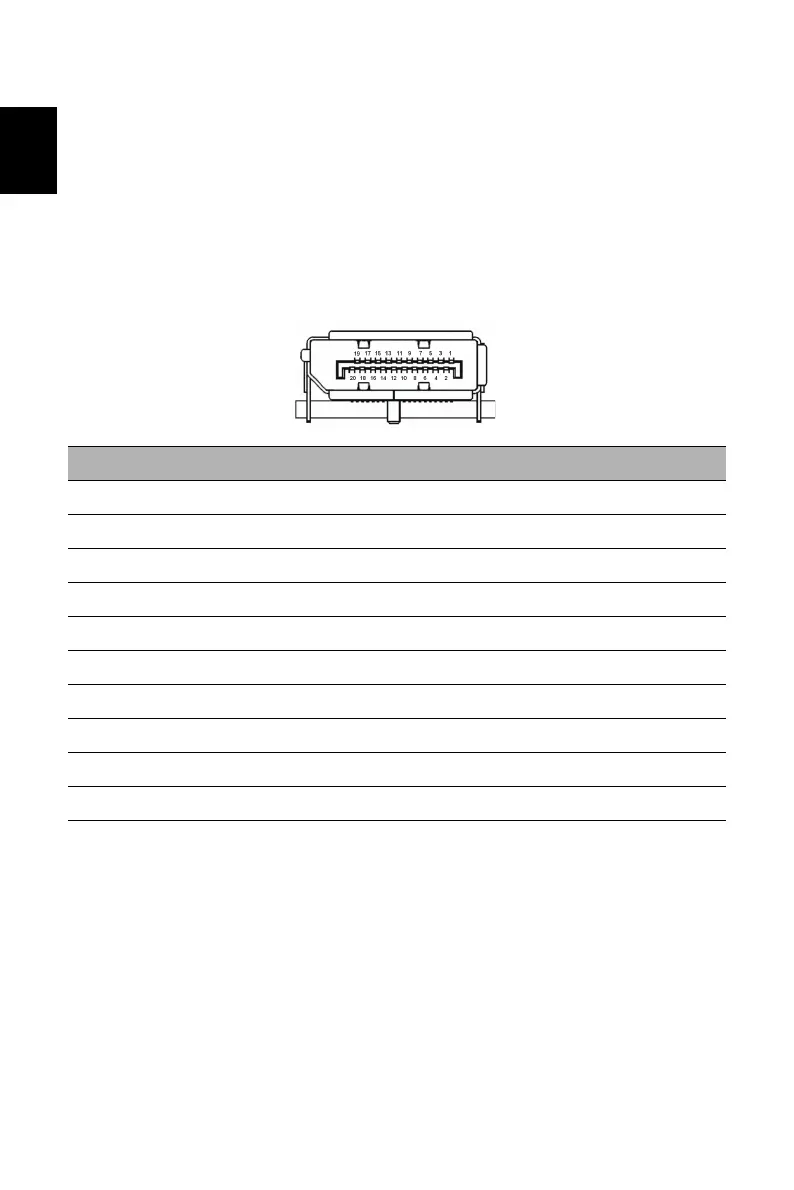
20-Pin Color Display Signal Cable
PIN NO.
DESCRIPTION
PIN NO.
DESCRIPTION
1 ML_Lane 0+ 2 GND
3 ML_Lane 0- 4 ML_Lane 1+
5 GND 6 ML_Lane 1-
7 ML_Lane 2+ 8 GND
9 ML_Lane 2- 10 ML_Lane 3+
11 GND 12 ML_Lane 3-
13 KONFIG1 14 CONFIG2
15 AUX CH+ 16 GND
17 AUX CH- 18 Hot Plug
19 Return 20 DP_PWR


 To Next Page