3
SCREEN POSITION ADJUSTMENT
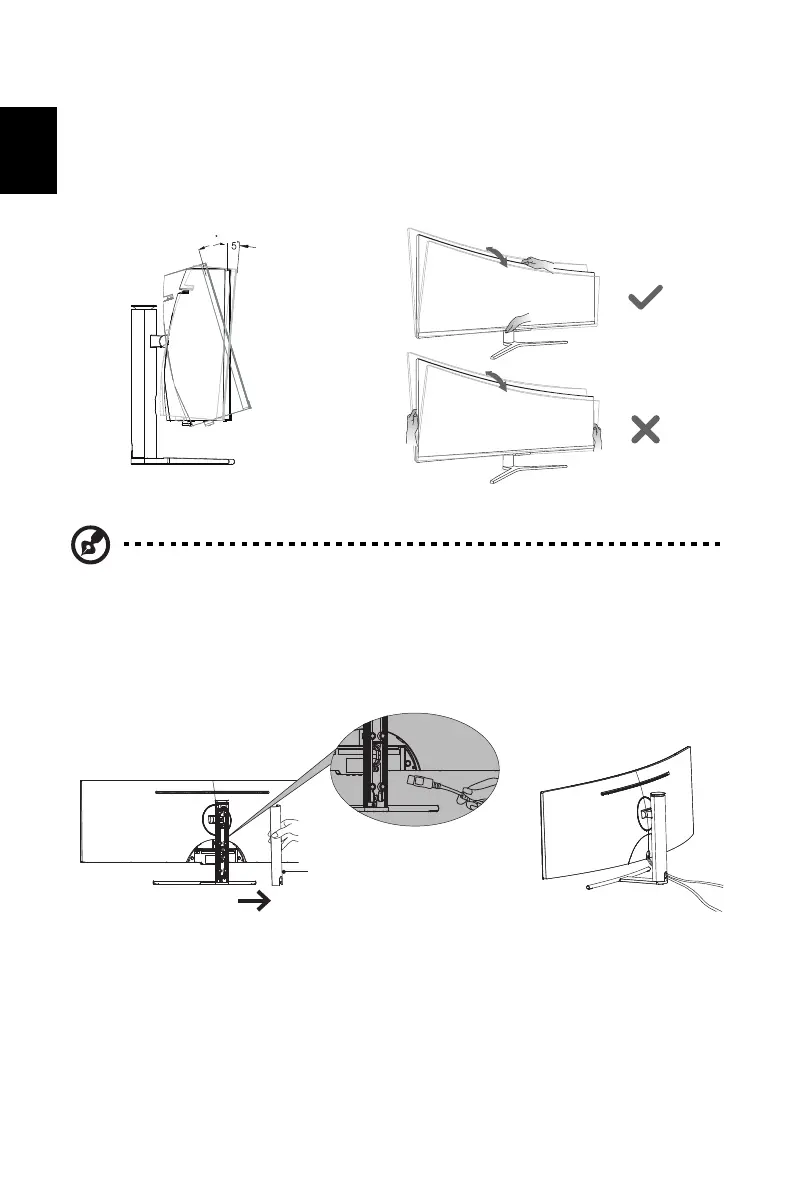
To optimize the viewing position, you can adjust the monitor tilt by using both of your hands to
hold the edges of the monitor. The monitor can be adjusted to 15 degrees up or 5 degrees
down.
Cable management solutions
• Open the back cover of the stand arm and connect cables to the monitor through its ports
and then cover it back.
CONNECTING THE POWER CORD
• This monitor has a universal power supply that allows operation in either 100/120V AC or
220/240 V AC voltage area. No user-adjustment is required.
Note: Do NOT press the screen with fingers.
Do NOT grasp the corners or the left and right sides of the monitor to adjust tilt.
15
-


 To Next Page