EN-3
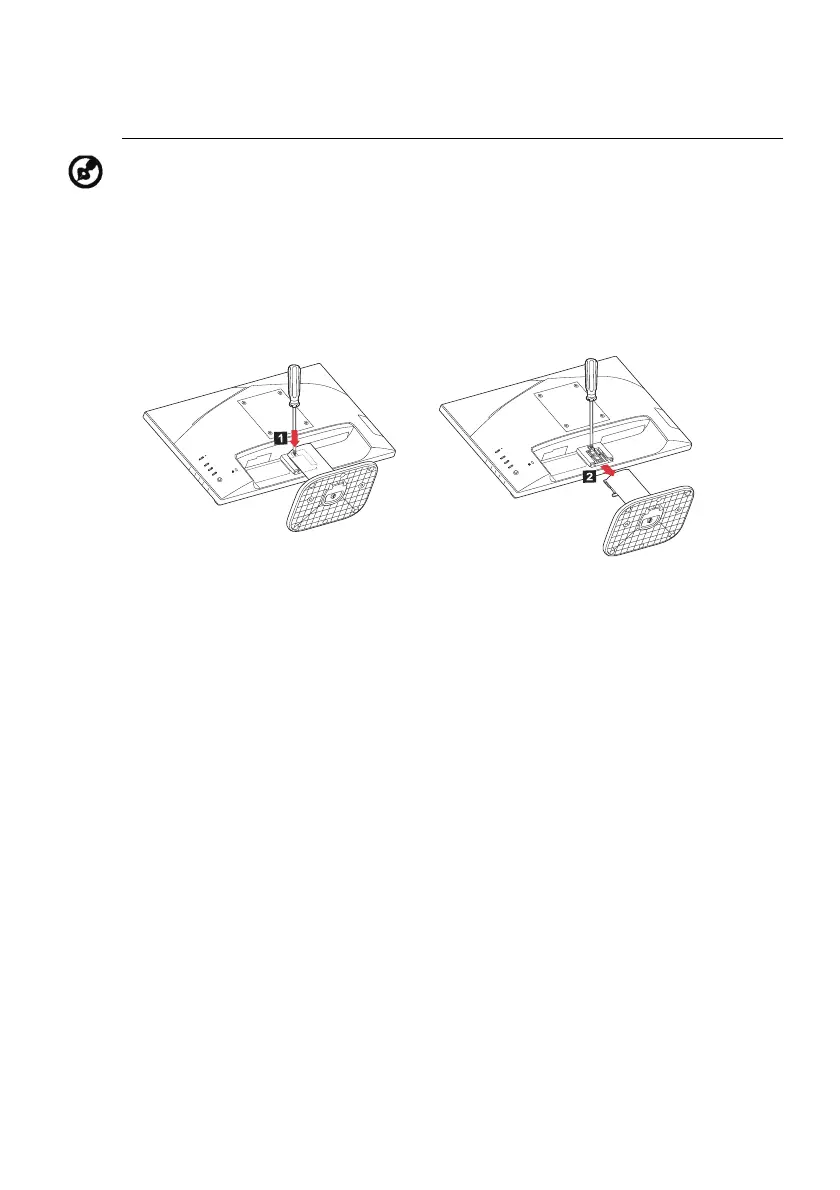
Follow instructions below to remove the base from the monitor.
Note: Carefully place the monitor face-down on a stable surface -- use
a cloth to avoid scratching the screen.
1.
Use a screwdriver to press the
release button.
2.
With release button pressed, remove
the stand base from the monitor.



 To Next Page