34Acer SocialJogger
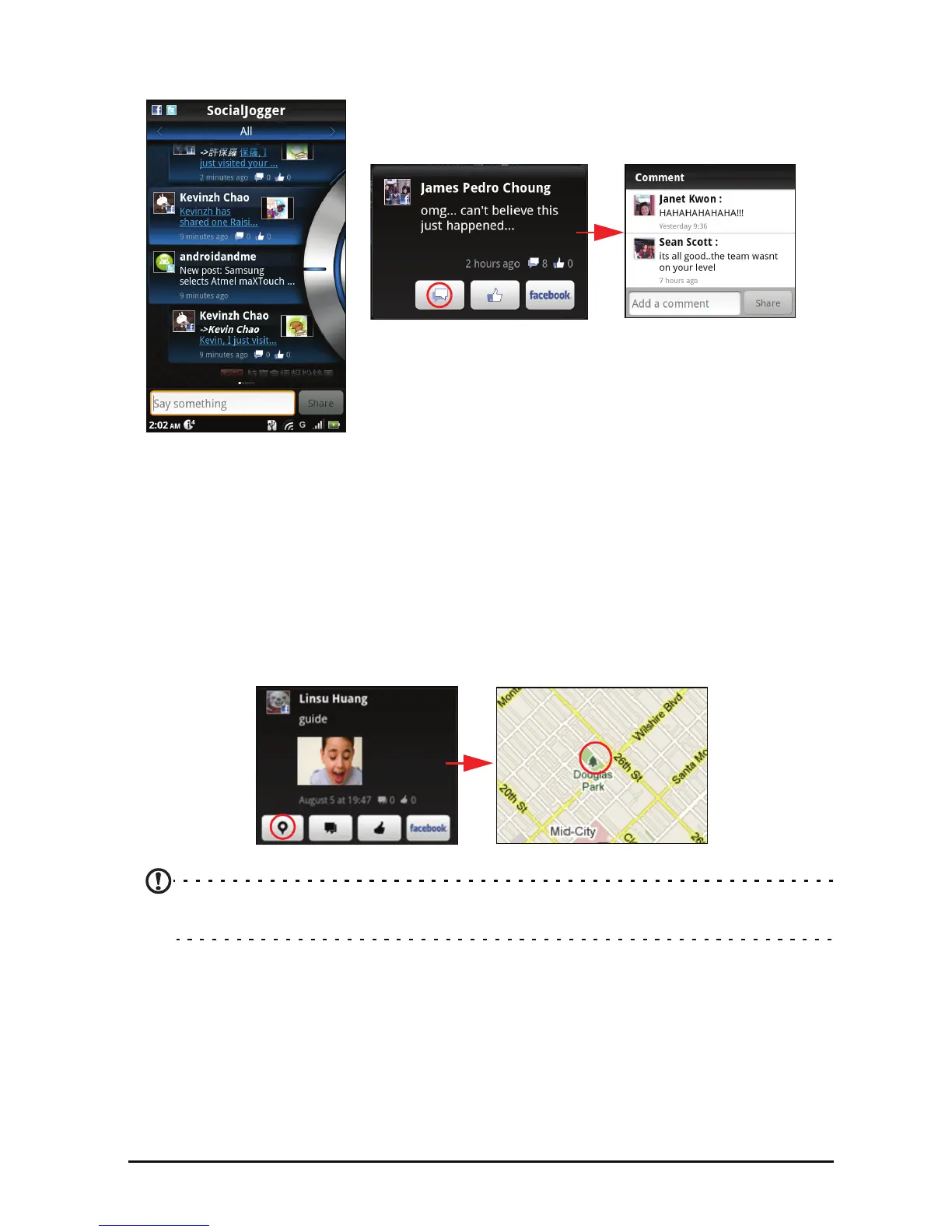
Slide the disc, located on the right, up and down to cycle through the
notification updates.
Tap on a notification
to view more details and make a comment.
Tap the left and right arrows, located on the top,
to cycle between the
categories: My Page, Photos, Link and any added pages.
Tap the Me
nu button to access account settings, refresh the page, auto play,
and add or remove custom pages.
Location Plus: If you upload a picture wit
h the SocialJogger uploader through
the gallery or from the camera review screen, the uploaded picture will display
its geotag.
Note: For geotag to display, pictures must be taken with Store Location activated in
the camera settings.


 To Next Page