33Setting up Email
Setting up Email
Your smartphone enables you to access your email.
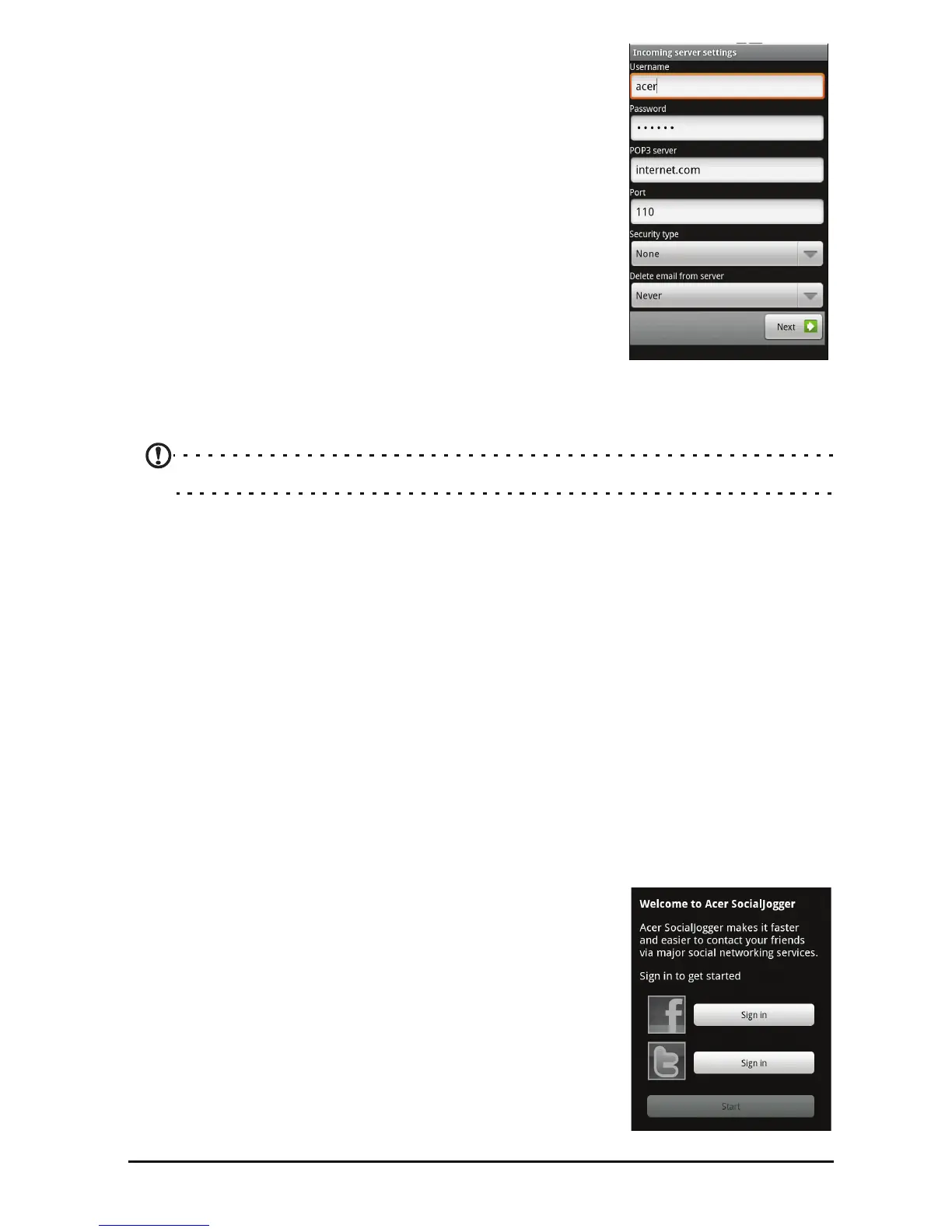
Most popular ISPs can be set up in two steps. Pull up
the applications menu and then tap Email to start
setting up your email access.
If necessary, enter your email address and tap Ma
nual
setup to enter the parameters manually. Tap Next to
finish the setup process.
The combined inbox feature of your smartphone
al
lows you to view emails from multiple accounts in a
single inbox.
Online applications
Your smartphone has a variety of applications installed on it from the factory.
Note: Applications installed may vary according to your region.
These applications may include:
• Acer Sync:
Sync your data between your computer and the Google
servers.
• SocialJogger: View updates to your social networks in one location.
• Facebo
ok: View your Facebook profile and keep up-to-date with your
friends.
• Ma
ps: Get easy-to-follow directions using Google Maps.
• Navigati
on: Turn-by-turn navigation with live traffic, multiple visible
layers and text-to-speech take you where you want to go.
• Latitude: View
where your friends are on Google Maps.
•Places: Vi
ew places of interest and local businesses on Google Maps.
• Yo
uTube: View the Most viewed and Most discussed video clips on
YouTube.
Acer SocialJogger
Acer SocialJogger combines your social network
updates in one location, allowing you to quickly
follow what your fr
iends are doing across several
platforms.
From the application menu, tap Ac
er SocialJogger to
launch the program.
Select Sign
in to enter your account information.
When you are finished press Start.


 To Next Page