44Multimedia playback
Synchronization
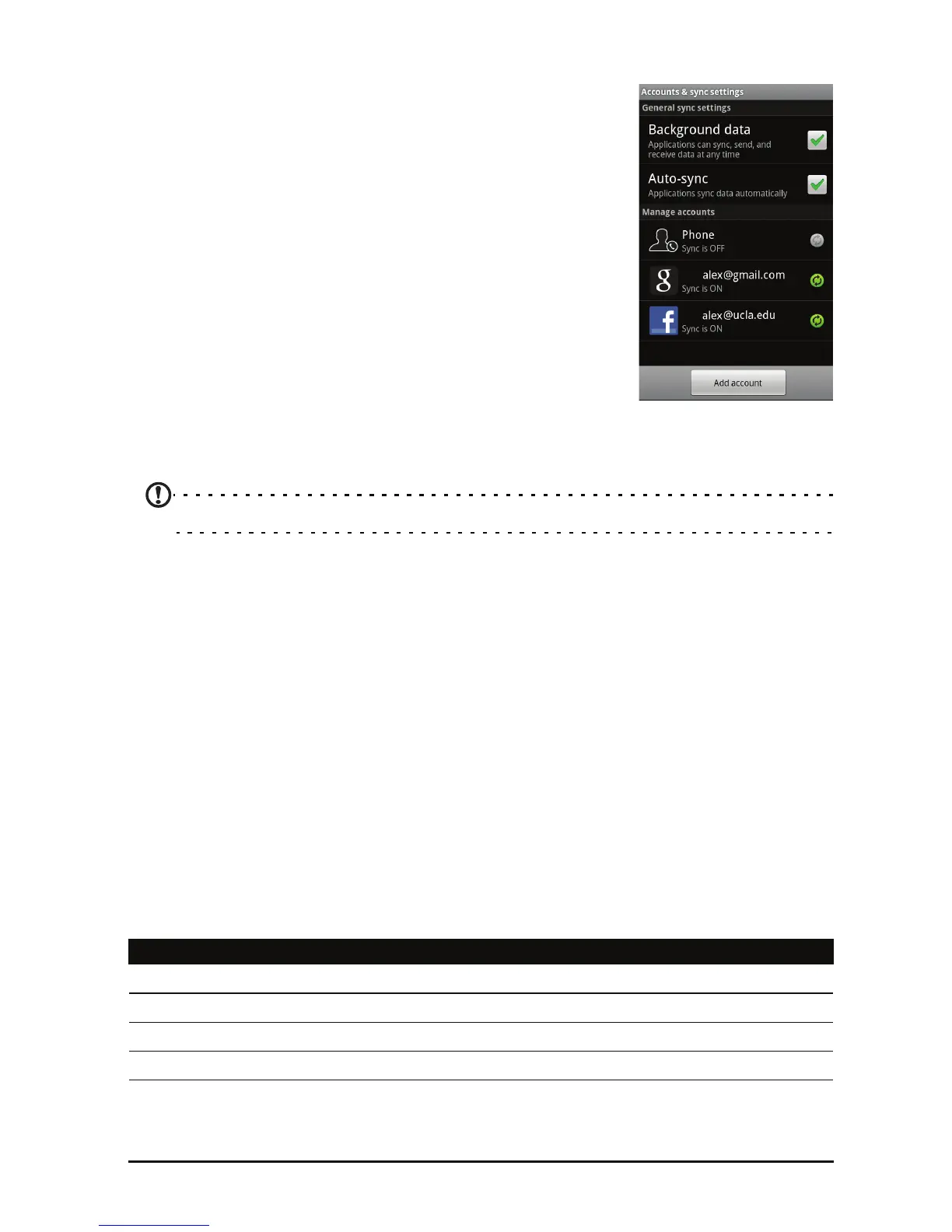
You can sync your calendar, email and contacts on your
phone and never worry about losing them again. Sync
in
real time or adjust it as you please. Tap Menu >
Settings > Accounts & sync to access the
synchronization settings.
To have your smartphone auto-sync, make sure
B
ackground data and Auto-sync are checked.
To manage synchronization of individual accounts, tap
an ac
count to see their settings.
Google Sync
In Google, you can set synchronization for contacts,
email and calendar. Tap to checkmark an item you
would like to have auto-sync. Tap again to uncheck any
for manual synchronization.
To manually synchronize an item, tap the item.
Note: You need a Google account to sync your calendar and appointments.
Acer Sync
Acer Sync allows you to easily synchronize your contacts, calendar, photos and
videos between your smartphone, PC and corresponding Google services.
Download and install Acer Sync and Acer PIM for the PC from
http://mobile.acer.com/.
Multimedia playback
Your smartphone comes supplied with a variety of programs that you can use
to enjoy multimedia content.
nemoPlayer
Open nemoPlayer from the applications menu to play media you have stored
on your phone.
nemoPlayer enables you to listen to music
, view video clips and pictures in the
following formats.
Type Formats
Audio playback MP3, AMR, WMA
Ringtone MP3, MIDI, iMelody, WAVE, WMA
Video recording 3GP, MPEG-4, H.263
Video playback 3GP, MPEG-4, H.263, H.264, WMV


 To Next Page