47Multimedia playback
Adjusting the volume
Adjust the volume of your phone using the volume buttons on the side of the
phone. Alternatively, you can set the Ringer volume and Media volume by
opening the applications menu and going to Settings > Sound.
Setting the date and time
To set the date and time, open the application menu and tap Settings > Date &
time.
Tip: If you travel frequently or live in an area that uses daylight saving time, activate
Automatic from this menu. This will enable your smartphone to set the date and time
based on information it receives from the network.
Setting alarms
There is one predefined alarm on your phone by default. To add or edit alarm
settings, tap Alarm Clock in the application menu and tap the preset alarm to:
• Turn the alarm on or off.
• Set the alarm time.
• Set a ringtone.
• Enable or disable vibrate.
• Set which days to repeat the alarm.
• Give it a label.
Changing language and text options
Set your location and language input preferences by opening the applications
menu and going to Settings > Language & keyboard.
Managing applications
App-2-SD
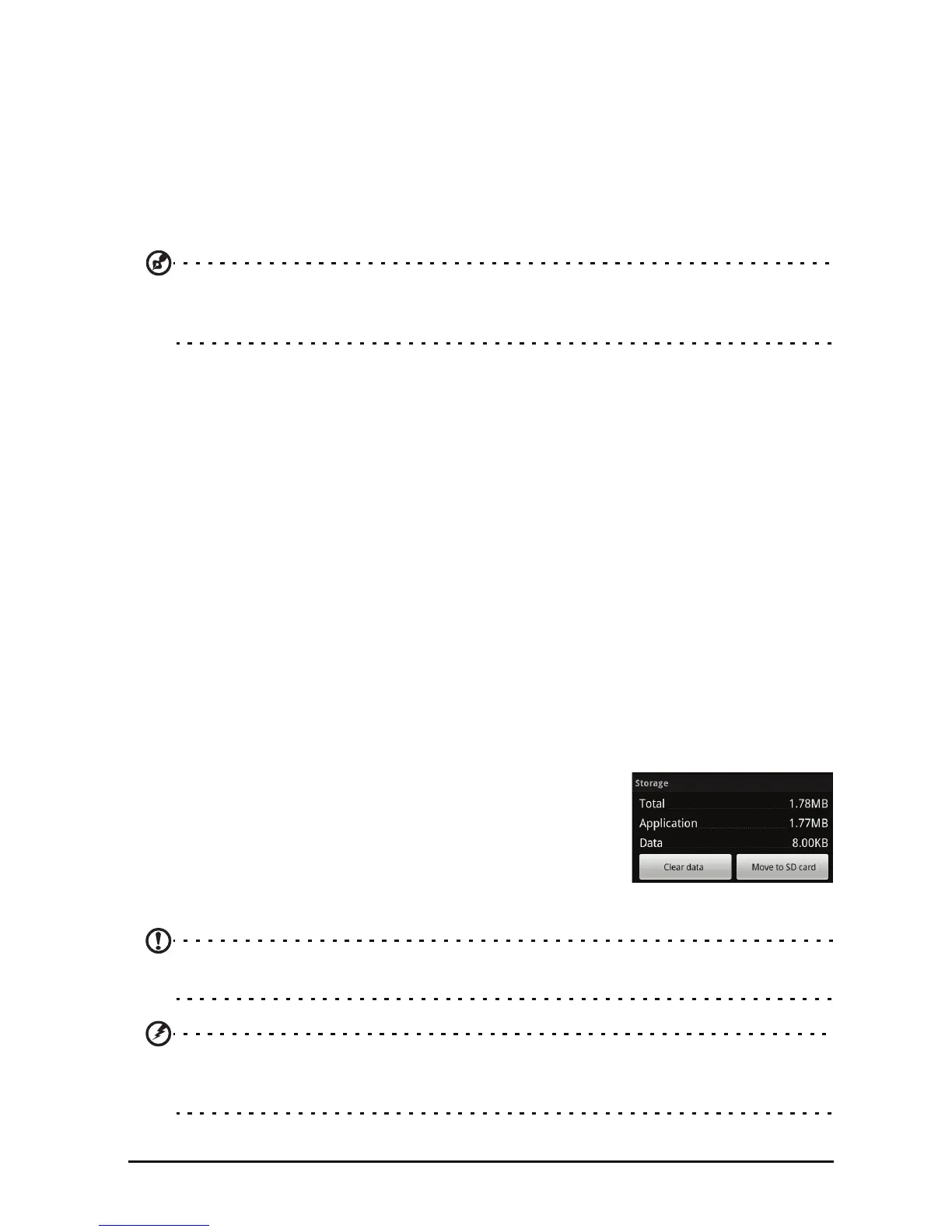
When installing an application, you may have a choice
to install the program to the internal memory or
installed memory card.
Move an installed application by going to Settings >
App
lications > Manage applications. Select an
application and tap Move to SD card.
Note: Not all programs support App-2-SD. Please see application specifications for
compatibility.
Warning! Make sure you trust the source of any program you install. If you are not
sure of the source, do not install a program. Installing programs from unknown
sources increases your risk of virus attacks and theft of personal and private data.


 To Next Page