1 Getting to know your TravelMate18
English
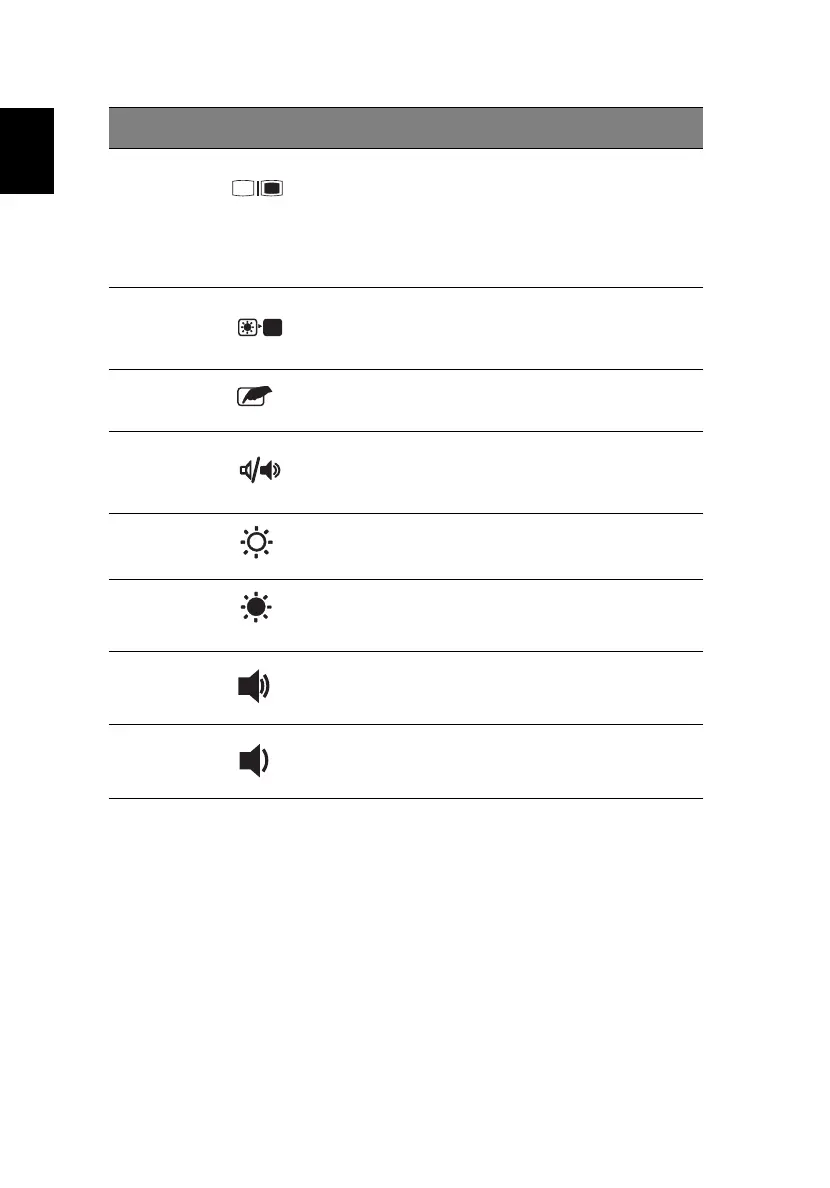
Fn-F5 Display toggle Switches display output
between the display screen,
external monitor (if
connected) and both the
display screen and external
monitor.
Fn-F6
Screen blank Turns the display screen
backlight off to save power;
press any key to resume.
Fn-F7 Touchpad Toggle Turns the internal touchpad
on and off.
Fn-F8 Speaker on/off Turns the speaker on and off.
Fn-→ Brightness up Increases the screen
brightness.
Fn-
←
Brightness up Decreases the screen
brightness.
Fn-↑ Volume up Increases the speaker volume.
Fn-↓ Volume down Decreases the speaker
volume.
Hot key Icon Function Description






 To Next Page