41
English
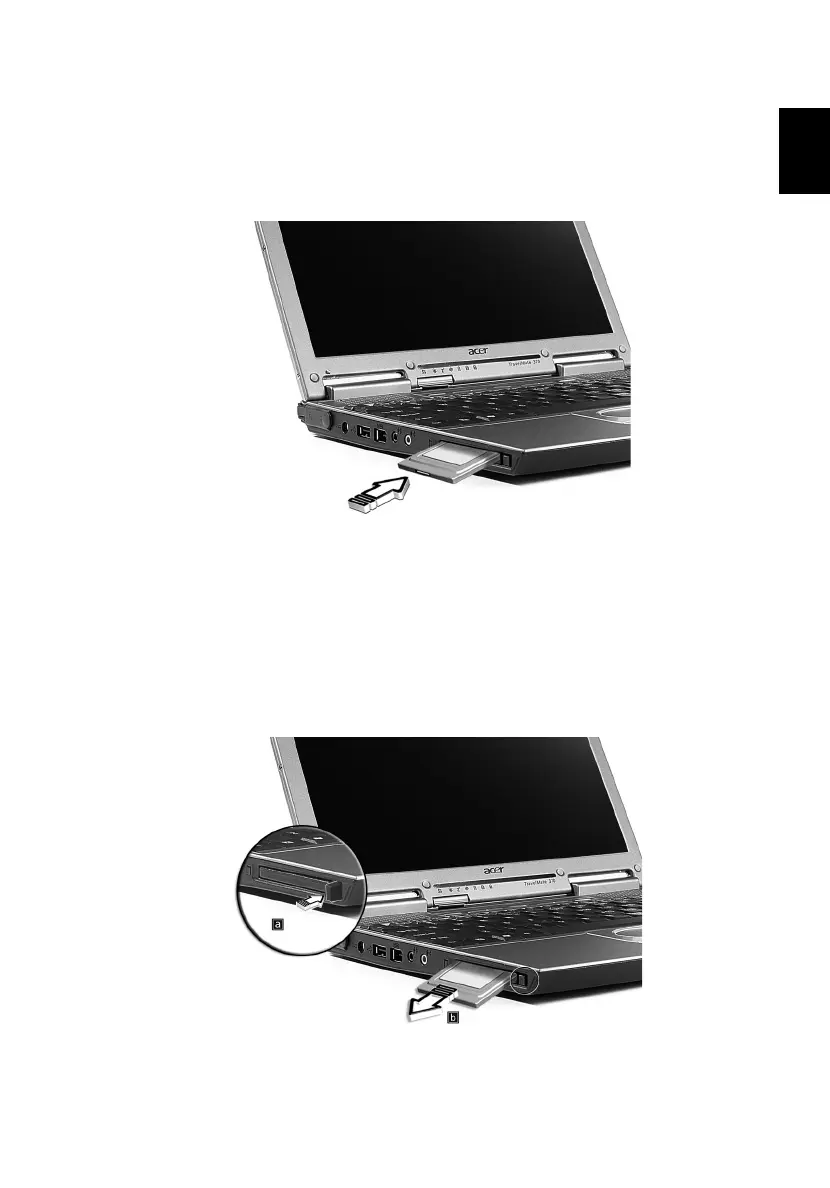
Inserting a PC Card
Insert the card into the slot and make the proper connections (e.g.,
network cable), if necessary. See your card manual for details.
Ejecting a PC Card
Before ejecting a PC Card:
1 Exit the application using the card.
2 Left-click on the PC Card icon on the taskbar and stop the card
operation.
3 Press the slot eject button to pop out the eject button (a); then
press it again to eject the card (b).




 To Next Page