8 - Your Acer notebook tour
YOUR ACER NOTEBOOK TOUR
After setting up your computer as illustrated in the Setup Guide, let us
show you around your new Acer computer.
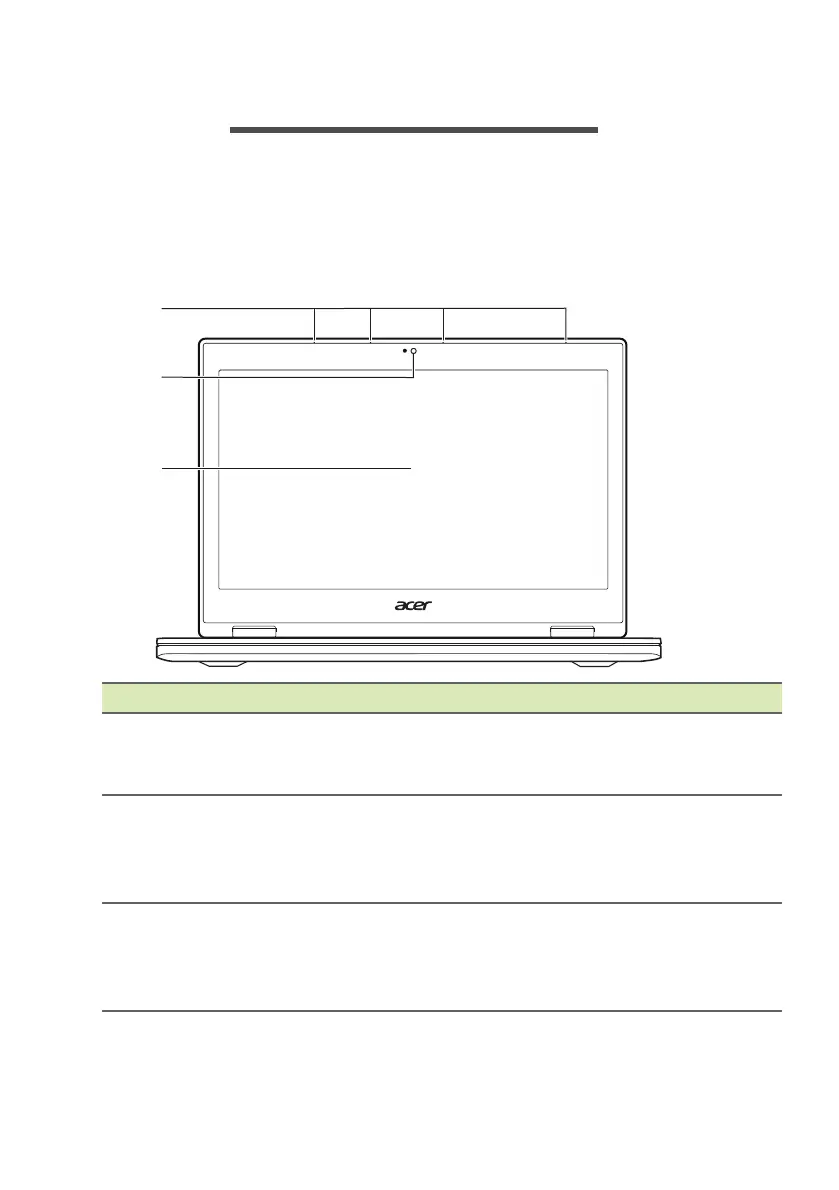
Screen view
# Icon Item Description
1 Microphones
4 array microphones for far-field
technology that allows users to
access Cortana up to 4 meters away.
2 Webcam
Web camera for video
communication.
A light next to the webcam indicates
that the webcam is active.
3 Touchscreen
Displays computer output, supports
multi-touch and Active Pen
input(Active Pen support depends on
model purchased).



 To Next Page