EasyManua.ls Logo

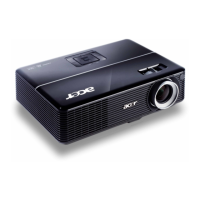
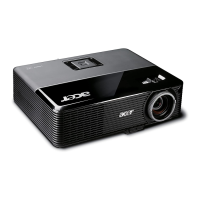
Acer P1255 - User Manual

Acer P1255
62 pages
Print Icon
To Next Page IconTo Next Page
Loading...
Acer DLP Projector
X1123HP/D800D+/Q55S/
ES550/EV-S80HP/BS-020P/
DX120P/KS330P/ASV1904/
X1223HP/D810D+/Q55X/
EX550/EV-X80HP/BS-120P/
DX220P/KX330P/ANX1903/
X1323WHP/D820D+/Q55W/
EW550/EV-W80HP/BS-320P/
DX420P/KW330P/AWX1902/
P1155/M307/PE-S46/PR121/
MF-020/ASV1910/P1255/
M317/PE-X46/PR221/MF-120/
ANX1909/P1355W/M327/PE-
W46/PR321/MF-220/AWX1908
Series User's Guide
Copyright © 2020. Acer Incorporated.
All Rights Reserved.
Acer Projector User's Guide
Original Issue: 01/2020

Questions and Answers

  • T
    Theresa EstesSep 12, 2025
    Why is my Acer P1255 Projector image stretched when playing widescreen DVD?
    • M
      Michelle LoweSep 12, 2025
      If the Acer projector image is stretched when displaying a widescreen DVD title: If you are playing a 4:3 format DVD, change the format to 4:3 using the projector's OSD. If the image remains stretched, adjust the aspect ratio on your DVD player to 16:9 (wide).
  • K
    Kimberly MaxwellSep 13, 2025
    How to resolve partial or incorrect image display on Acer P1255 (PC)?
    • S
      Sarah AdkinsSep 13, 2025
      To address a partial, scrolling, or incorrectly displayed image on your Acer projector with a PC: * Open 'My Computer > Control Panel,' then double-click the 'Display' icon. * Select the 'Settings' tab. * Ensure your display resolution is 1600 x 1200 or 1920 x 1080 or lower. * Click the 'Advanced Properties' button. * Change the monitor display you are using and follow the steps below. * Ensure that the resolution setting is lower than or equal to 1600 x 1200 or 1920 x 1080. * Click the 'Change' button under the 'Monitor' tab. * Click 'Show all devices > Standard monitor types' under the SP box, and choose the resolution mode you need under the 'Models' box. * Ensure that the resolution setting of the monitor display is lower than or equal to 1600 x 1200 or 1920 x 1080.
  • B
    benjaminrodriguezSep 15, 2025
    What to do if Acer Projector displays a partial image from a notebook?
    • R
      riceelizabethSep 15, 2025
      To correct a partial, scrolling, or incorrectly displayed image on your Acer projector when using notebooks: * Adjust the resolution of your computer, following the steps previously described. * Press the toggle output settings. * If you encounter issues changing resolutions or your monitor freezes, restart all equipment, including the projector.

Acer P1255 Specifications

General IconGeneral
BrandAcer
ModelP1255
CategoryProjector
LanguageEnglish

Related product manuals