EasyManua.ls Logo

Acer V6510 - User Manual

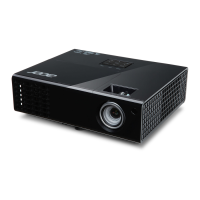
Acer V6510
70 pages
Print Icon
To Next Page IconTo Next Page
Loading...
Copyright © 2020. Acer Incorporated.
All Rights Reserved.
Acer Projector User's Guide
Original Issue: 03/2020
Acer Projector
H6522BD/V6510/H6518ST/X1527H/
H6523BD/E145F+/V150/E146S/
D656F/E147/HE-801K+/HT-800/
E145S+/M457/HE-803/H6517ABD+/
HV520/HE-802ST/AF610/GM514/
GM513/TH-420/HE-801ST+/HE-810/
VH-415/VH-413/H6517ST+/EV-F57/
H6522ABD/GM513S/BS-425/
VH-413S/DX525/X158H/KF320/
H6523ABD/H6541BD/H6541BD+/
X158HP/D1P1845/D1P1849/
D1P1848/D1P1915/D1P2001
User's Guide

Questions and Answers

  • M
    Marissa JohnsonAug 30, 2025
    How to fix partial, scrolling, or incorrectly displayed image on Acer V6510 Projector (for notebooks)?
    • Z
      zwatersAug 30, 2025
      Follow the steps to adjust the resolution of your computer. Press the toggle output settings. If you experience difficulty changing resolutions or your monitor freezes, restart all equipment including the projector.
  • C
    Carolyn RoachAug 29, 2025
    Why is Acer Projector image too small or too large?
    • A
      Andres PowellAug 29, 2025
      Adjust the zoom ring on the projector. Move the projector closer to or further from the screen. Alternatively, press "MENU" on the remote control, go to "Image - -> Aspect Ratio", and try different settings, or press "RATIO" on the remote to adjust directly.
  • E
    Eric BirdAug 28, 2025
    How to fix unstable or flickering image on Acer V6510 Projector?
    • M
      Mary WolfeAug 28, 2025
      Adjust the "Tracking" to correct the image. Change the display color depth settings on your computer.
  • H
    Heather MayAug 27, 2025
    Why is my Acer V6510 image stretched when displaying a widescreen DVD?
    • D
      Daniel GrahamAug 27, 2025
      When playing a DVD encoded in anamorphic or 16:9 aspect ratio, you may need to adjust settings. If you play a 4:3 format DVD title, change the format to 4:3 in the projector OSD. If the image remains stretched, adjust the aspect ratio to 16:9 (wide) on your DVD player. For a Letterbox (LBX) format DVD title, change the format to Letterbox (LBX) in the projector OSD.
  • A
    Angela JonesAug 26, 2025
    What to do if Acer Projector image is out of focus?
    • B
      Bonnie SpencerAug 27, 2025
      First, make sure that the lens cap is removed. Then, adjust the focus ring on the projector lens. Also, ensure the projection screen is within the required distance from the projector.
  • A
    Adrian LeachAug 25, 2025
    Why is the image too small or too large on my Acer V6510 Projector?
    • M
      Michael McmahonAug 26, 2025
      If the image from your Acer Projector is too small or too large, here are a few things you can try: * Adjust the zoom ring on the projector. * Move the projector closer to or further from the screen. * Press 'MENU' on the remote, go to 'Image - -> Aspect Ratio' and try different settings, or press 'RATIO' on the remote to adjust directly.
  • Z
    zdixonAug 25, 2025
    How to fix Acer Projector when LAN/WiFi, USB Display source show No signal?
    • E
      Emily BrownAug 25, 2025
      Power off projector and power on again.

Acer V6510 Specifications

General IconGeneral
BrandAcer
ModelV6510
CategoryProjector
LanguageEnglish

Related product manuals