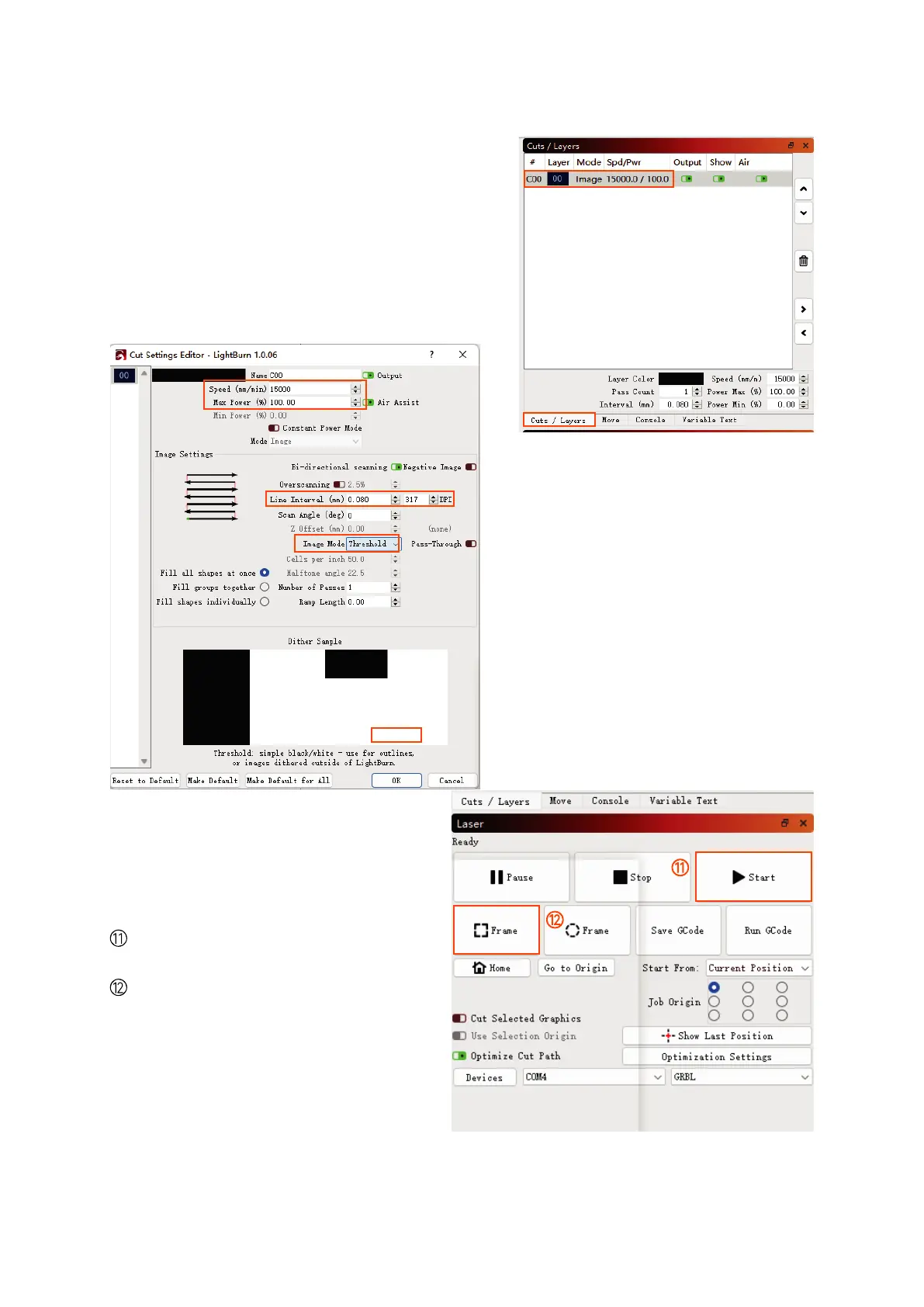
⑤ Select "Cuts/Layers".
⑥ Double-click the red box area.
Click "Frame" to preview the engrav-
ing area.
Click "Start" to start engraving.
⑦ Adjust the carving speed and carv-
ing power (suggest to refer to the
carving parameter table).
⑧ Set the engraving quality.
⑨ Set the engraving mode.
⑩ Click "OK"
⑤
⑥
⑦
⑧
⑨
⑩
01 02
03 04
05 06
07 08
09 10
11 12
13 14
15 16
17 18
19 20
21 22
23 24
25 26
27 28
29 30
31 32
33 34



 To Next Page