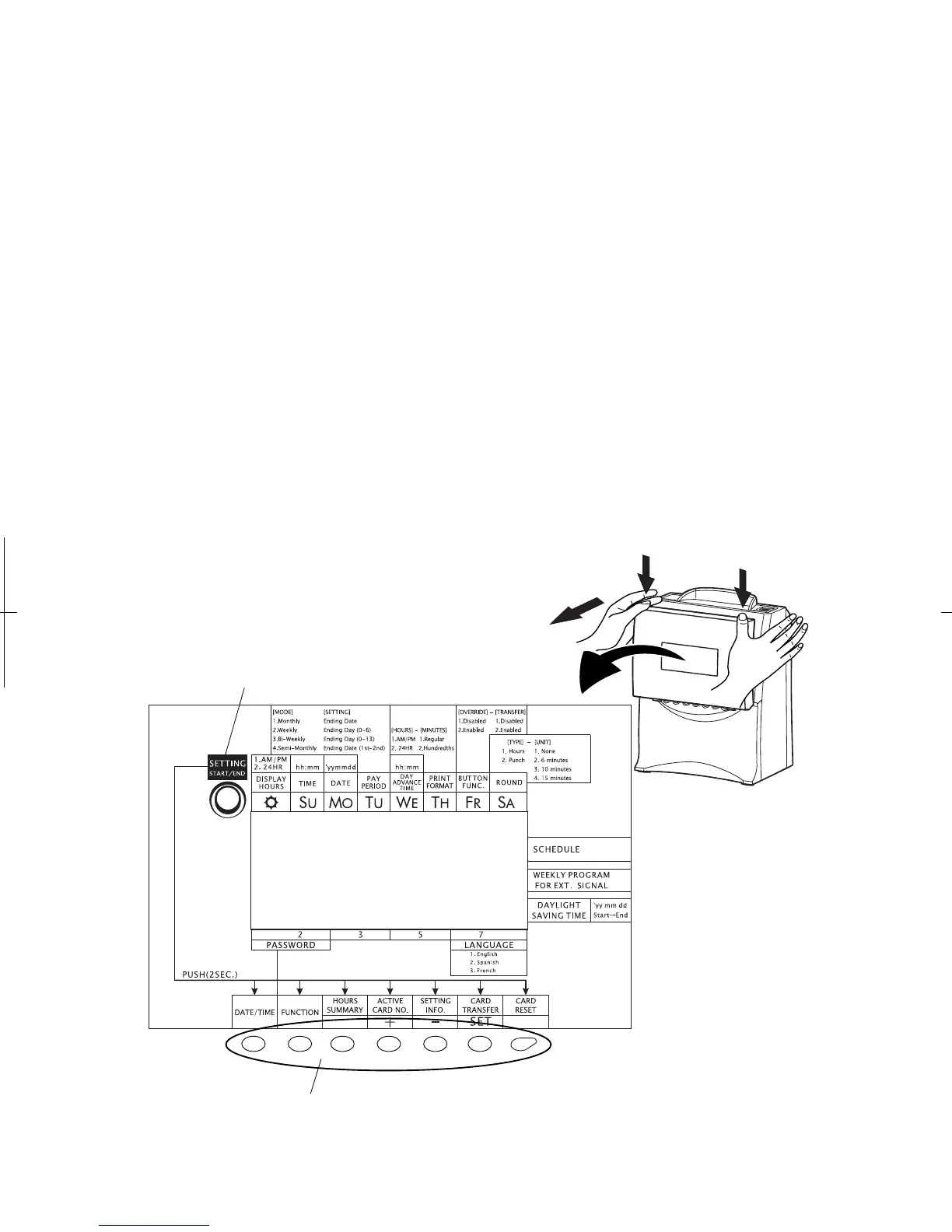
With the front cover off, you will be able to access program buttons.
[SETTING START/END] button
Push this button when you go into/get out of the setting mode.
[DATE/TIME] button
Use the [DATE/TIME] button when you want to change the date and/or time. You can select
the desired setting mode by pushing this button. (Make sure to push it for 2 seconds before
going into the setting mode.)
[FUNCTION] button
Use the [FUNCTION] button when you want to change the pay period, print format, and so
on. You can select the desired setting mode by pushing this button. (Make sure to push it for
2 seconds before going into the setting mode.)
[+] or [-] button
When you push the [+] or [-] button, you can change the set value.
[SET] button
You can set the value selected on the display by pushing the [SET] button.
Over View of Function Buttons
18
12
[SETTING START/END] Button
Function Buttons


 To Next Page