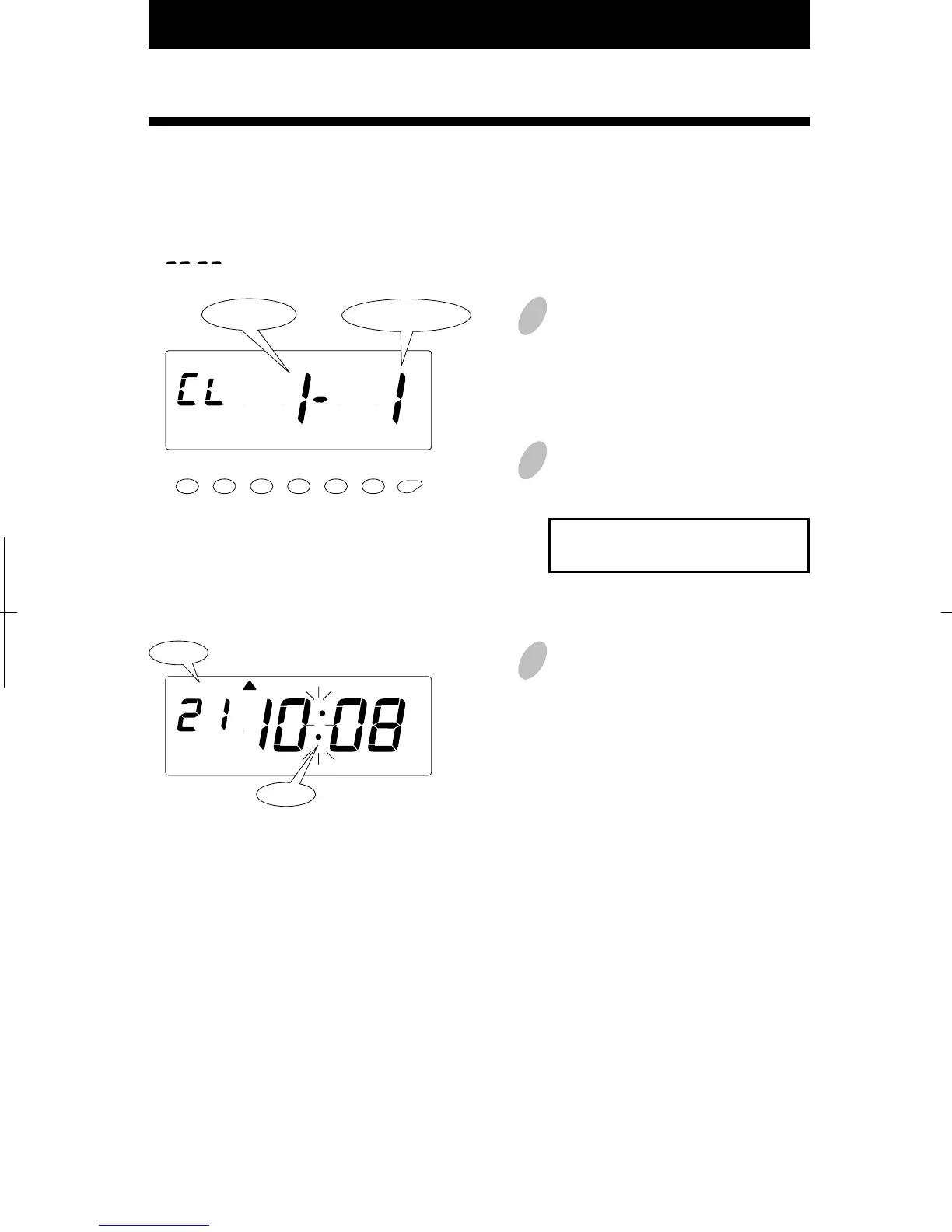
With this function, you can check what numbers of time cards are used in the current pay
period.
Push the [SETTING START/END] button before you start setting. At that moment,
" " is indicated on a display and you go into setting mode.
1
Push the [
ACTIVE CARD NO
.]
button for two seconds. At that
moment, "CL" is indicated on the
left side of the display.
3
Once list printing is completed,
"date" and "time" are indicated on
the display and the colon starts
flashing. Then replace the cover and
lock.
2
Insert a blank time card and a list is
printed out.
If you want to stop printing, push
the
[
SETTING START/END
]
button.
64
58
AM
Date
Colon
6. Printing List of Active Card Numbers
Page No.
Total Pages


 To Next Page