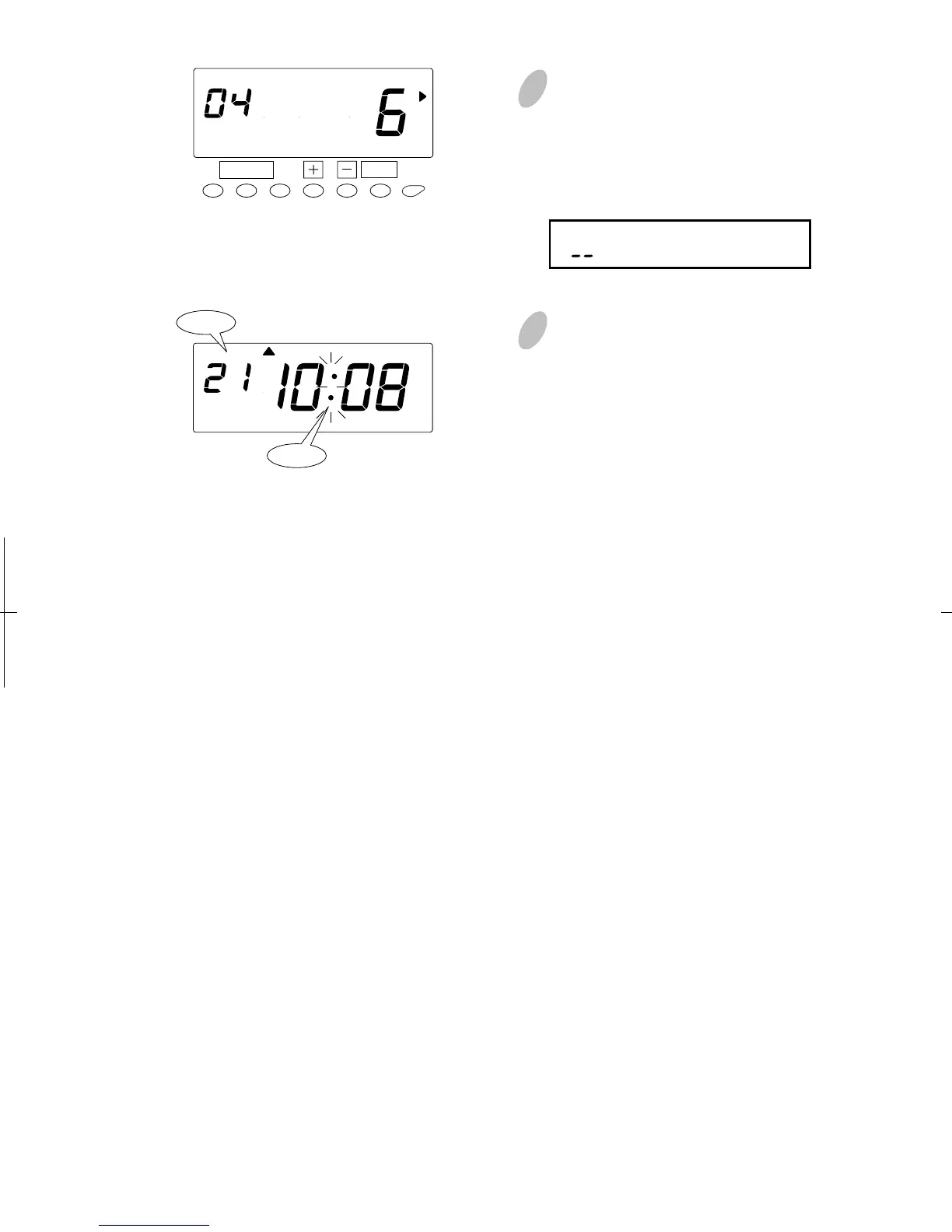
44
38
AM
Colon
Date
4 Push the [+] or [-] button to set the
desired hours. In case of the
example, push the [+] or [-] button
to set at "6" and push the [SET]
button. At that moment, the display
will change from flashing to steady.
Range of values: 1-24 hour(s)
(" " makes the function disabled.)
5 Push the [SETTING START/END]
button to get out of setting mode.
Make sure "date" and "time" are
indicated on the display and the
colon is flashing. Then replace the
cover and lock. Or push the set
button to advance to Program #05,
Setting total regular hours per week.
SET
FUNCTION
SCHEDULE


 To Next Page