Ultrasonic flaw detector А1212 MASTER
Operation Manual
44
ACOUSTIC
CONTROL
SYSTEMS
2
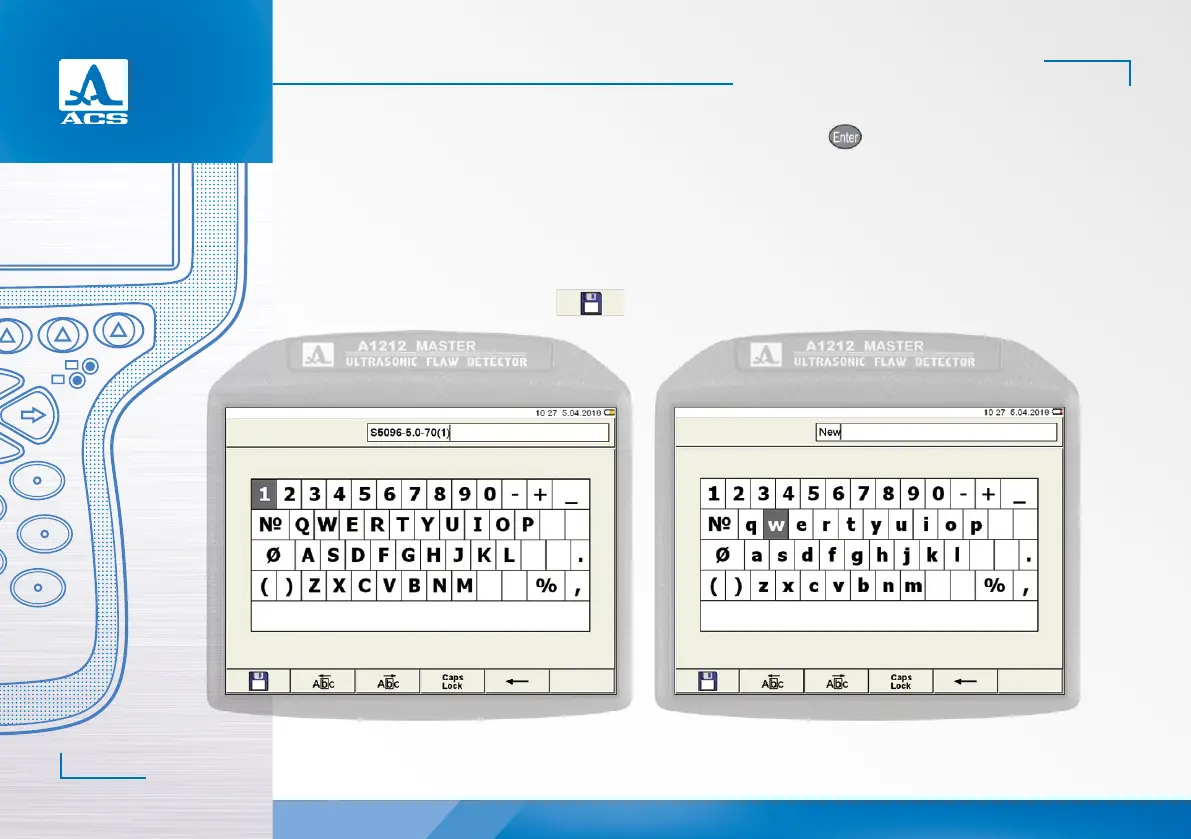
Name the configuration to enter it in the list of saved configurations. Press the key to do it. A name editing window
will be opened (Figure 45).
By default a serial number in parentheses will be added to the name of the configuration taken as a basic one.
If the name of the configuration taken as a basic one terminates with the number in parentheses, then the value within
brackets will be increased by 1 by default. If the next number in numerical order is already in the list, then by default a number
following the last existing one will be assigned.
Configuration can be assigned any name (Figure 46).
To save new name, press F1 key ( ).
Figure 45 Figure 46


 To Next Page