Ultrasonic flaw detector А1212 MASTER
Operation Manual
52
ACOUSTIC
CONTROL
SYSTEMS
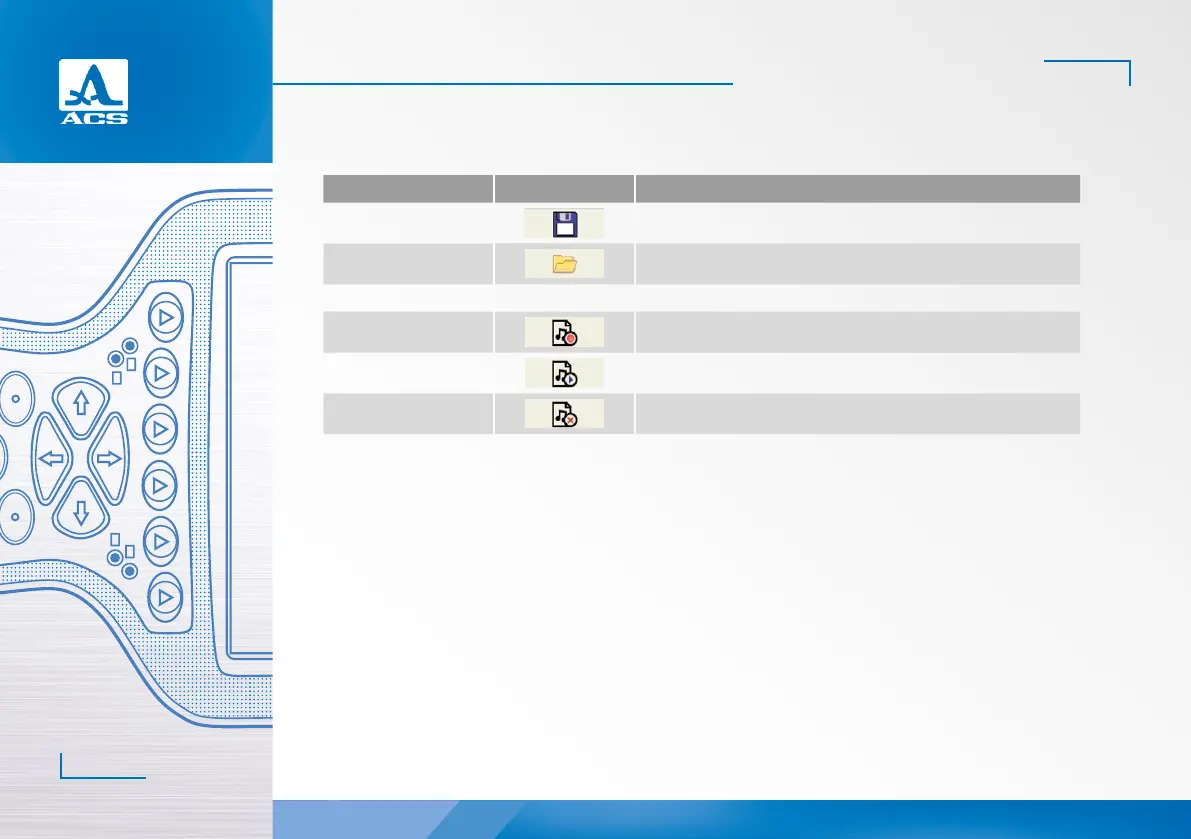
The functions of the icons applicable for the STOP mode are presented in the Table 22.
Key Icon Description
F1
saving the snapshot in the STOP mode
F2
go to view the saved snapshots
F3 - -
F4 (only if Bluetooth is On)
record the voice comment for the snapshot being saved
F5 (only if Bluetooth is On)
listen to the voice comment for the snapshot being saved
F6 (only if Bluetooth is On)
delete the voice comment for the snapshot being saved
Table 22
2.3.3.1 Saving current snapshot
Upon pressing the key F1 the instrument enters the editing mode of the new snapshot name (Figure 53).
By default the snapshot name is generated on the basis of the “Snapshot” word with a hyphen of the appropriate serial
number.
If the name of the last snapshot of the saved ones ends with any character or digit without a hyphen in front of it, then a
hyphen and a serial number will be added to the name by default.
If the name of the last snapshot of the saved ones ends with a hyphen and a digit, then by default the digit value will be
increased by 1.
Any name can be assigned to the snapshot. The mode of the snapshot name editing is similar to the editing mode of the
configuration name (Chapter 0).
2


 To Next Page
 Loading...