3
WR3 User Guide
Getting Started
Handset Cable
The handset cable connects the handset to the interface module,
which is connected to the vehicle’s ignition. The handset should
remain connected at all times, but for instances in which the handset
needs to be removed, follow these steps:
To Disconnect
1. Make sure that the vehicle motor is off.
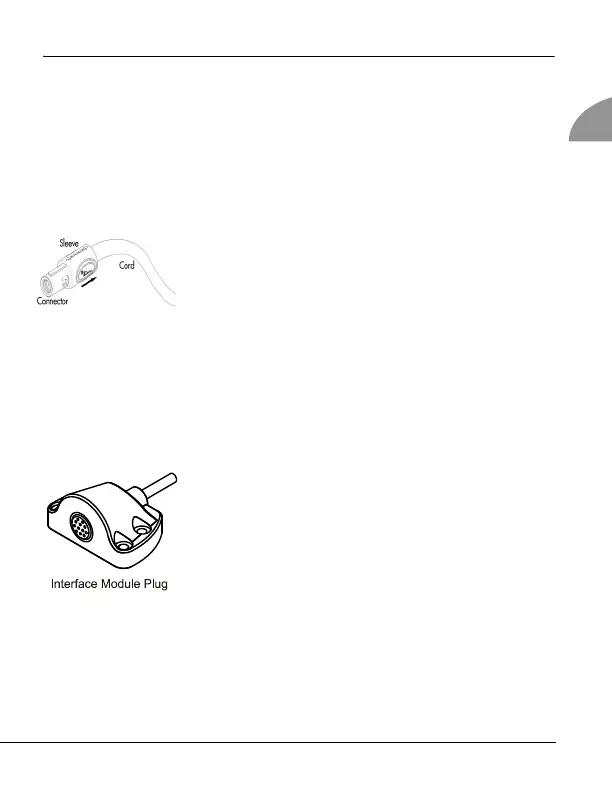
The handset cable consists of a connector, a
sleeve and a cord.
2. Release the connector from the interface mod-
ule plug by pulling back on the sleeve. This
disconnects the handset cable.
Warning! Do not pull on the handset cord or turn the connector. This could
damage the cable.
To Connect
1. With the vehicle motor off, locate the green
arrows on the handset cable connector and plug.
Note! If the vehicle’s motor is running, the interface
module plug flashes green and beeps every 15
seconds.
2. Line up the green arrows and gently push the
connector into the interface module plug. A
light click sounds when they properly connect.
3. A Wait message displays. WR3 may require
another breath test. Observe the message on
the display.



 To Next Page