ACTpro 1500 and 1520 Operating and Installation Manual
Page 21
10.0 Door settings:
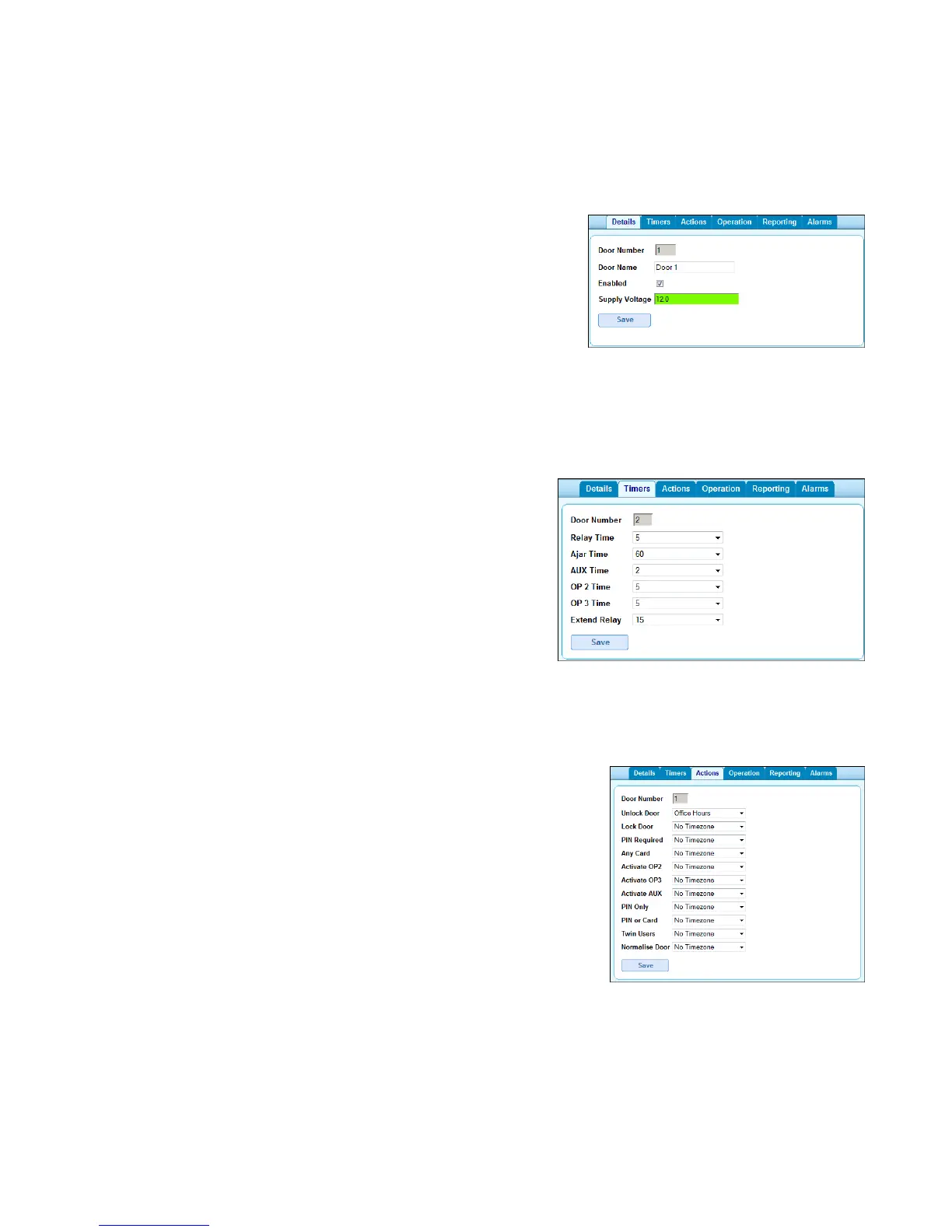
10.1 Enable and name doors
Step 1: login as installer
Step 2: Select “Door Config” menu option
Step 3: Select desired door
Step 4: Enable and name door
Step 6: Save
10.2 Set Door Relay Timers
Step 1: login in as installer
Step 2: Select “Door Config” menu option
Step 3: Select desired door
Step 4: Select “Timers” tab
Step 5: Enter new time.
Step 6: Save
10.3 Set Door Timed Actions
Step 1: login in as installer
Step 2: Select “Door Config” menu option
Step 3: Select desired door
Step 4: Select “Actions” tab
Step 5: Select timezone against the action.
Step 6: Save



 To Next Page