ACTpro 1500 and 1520 Operating and Installation Manual
Page 22
11.0 User settings
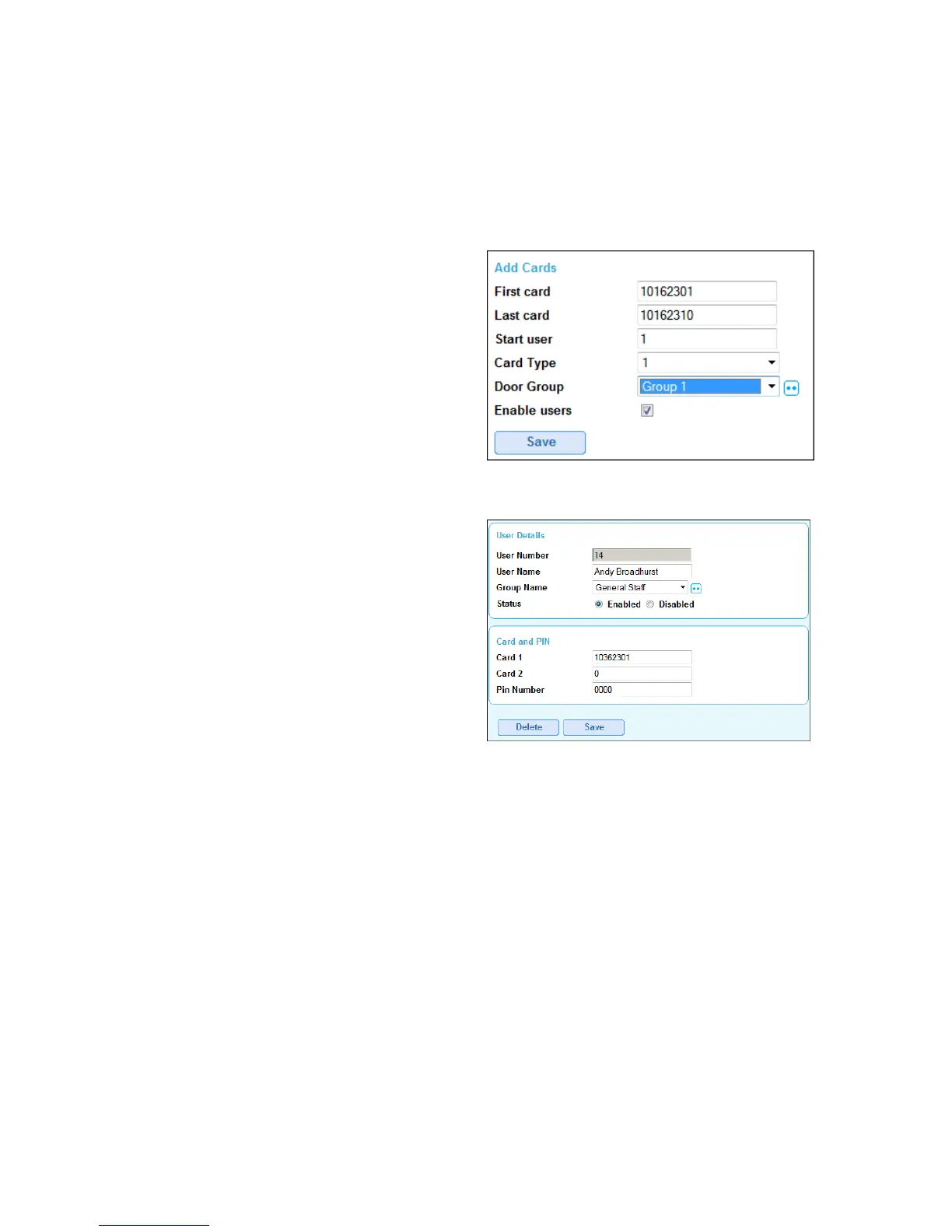
11.1 Add a batch of cards
Step 1: Select “Add card” icon from the home screen
Step 2: Enter First card number
Step 3: Enter Last card number
Step 4: Set Start user to 1 (for a new
installation)
Step 5: Check “Enable users”
Step 6: Save
11.2 Add individual Users
Step 1: Select “Users” from the menu
Step 2: Select an unassigned user from the
list
Step 3: Enter User name
Step 4: Select user group
Step 5: Check “Enable” user
Step 6: Enter card number into either Card 1 or Card 2 field
Step 7: Save



 To Next Page