ACTSmart Operating and Installation Manual Rev 1.1
- 14 -
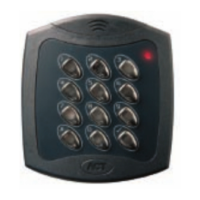
Programming ACTSmart Prox Only
Programming ACTSmart Prox Only Programming ACTSmart Prox Only
Programming ACTSmart Prox Only
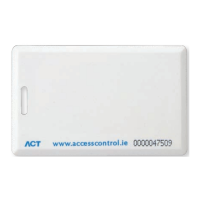
To program an ACTSmart Prox Only device, a Programming Card must be assigned to the ACTSmart.
The Programming Card may be any proximity card. If you have a received a batch of cards, use the first
(lowest numbered) card in the batch as the Programming Card. To set the Programming Card into the
ACTSmart Prox, power up the device with the tamper open (by removing the main unit from the
mounting plate or the surface mount collar), and immediately present a card twice. (Note: ACT
recommends using an ACTSmart PIN and Prox device if a network is required).
Adding a Card Batch to the Network:
Step Present Operation
1 Programming Card Add Card Batch
2 Present Card First card in Batch
3 Present Card Last Card in Batch
Deleting Batch Cards to the Network:
Step Present Operation
1 Programming Card
2 Programming Card Delete Card Batch
3 Present Card First card in Batch to delete
4 Present Card Last Card in Batch to delete
Deleting Individual Card (Require Card Above):
Step Present Operation
1 Programming Card
2 Programming Card
3 Programming Card Delete Individual Card
4 Present Card Card above the card that needs to be deleted e.g. if card number
99 needs to be deleted, present card number 100
Programming the Door Relay Time:
Step Present Operation
1 Programming Card
2 Programming Card
3 Programming Card
4 Programming Card Wait for 4 seconds, Buzzer sounds indicating timing… wait
required period.
5 Programming Card Buzzer stops – timer set.
Default ACTSmart:
Step Present Operation
1 Programming Card
2 Programming Card
3 Programming Card
4 Programming Card
5 Programming Card Buzzer sounds intermittently and the LED flashes RED to warn
you are about to default the system
6 Present Card
(Not Programming Card)
Default ACTSmarts. Note: This deletes the Programming Card.


 To Next Page