710-00002.5
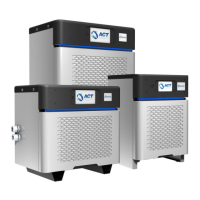
6. Click on Charger Info. Enter the Client Charger ID, if any, this will help identify the charger
on act-view without needing the full serial number. Also enter the Installation Date, Charger
Type, and Time Zone, then click on Save and when the screen updates, you will see on the
top right corner “Status Operation Done” indicating that the modification was programmed.
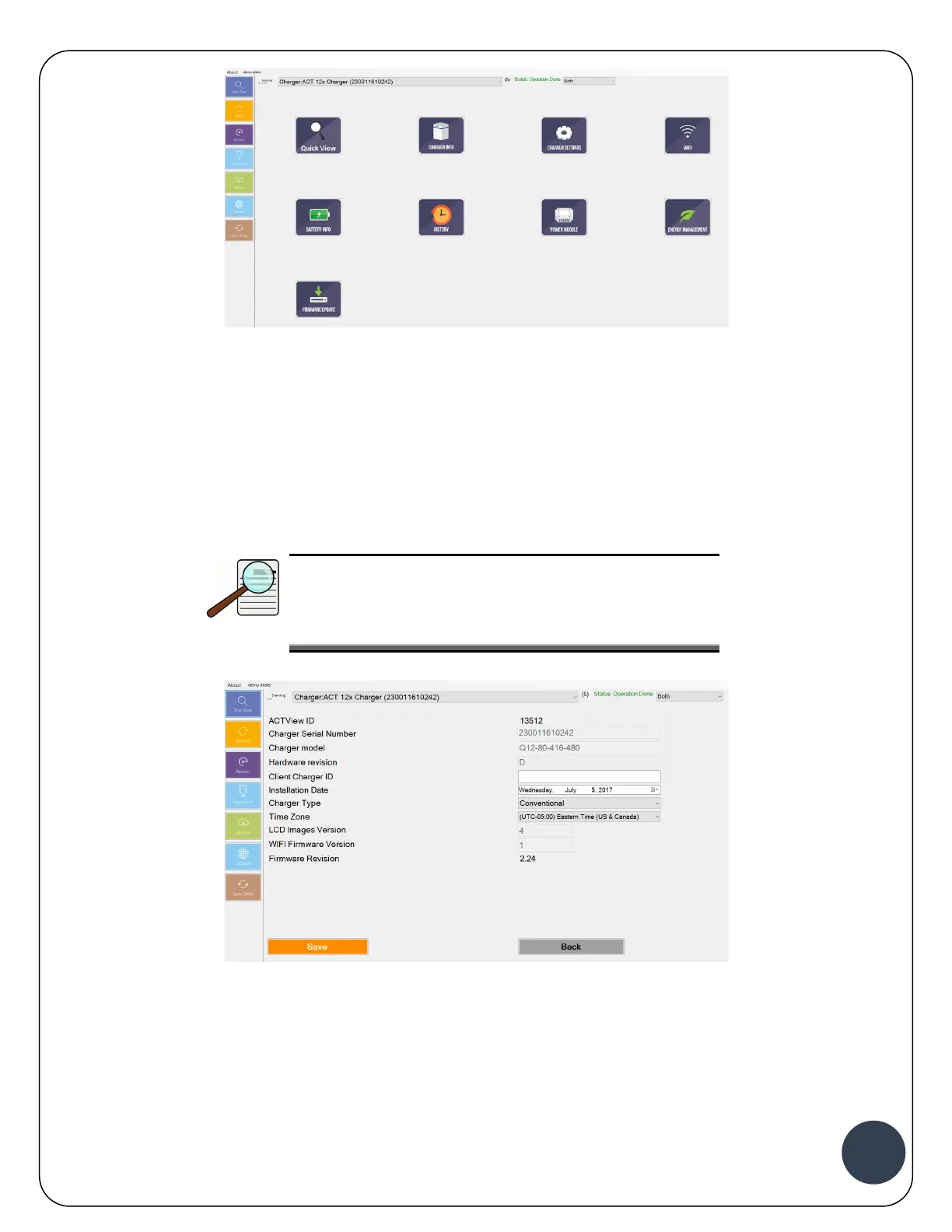
Click back to go to the Main Menu.
NOTE:
Charger Type could be: Conventional, Opportunity, or
Fast. Based on the Charger Type the software will
load the Default Charging Profile.
7. Click on Battery Info, then click on View Battery Settings


 To Next Page