Hardware Manual
17
Cable Connections
This section describes the procedures in preparing and connecting the bundled power adapter,
optional Digital Input and Digital Output (DI/DO), such as alarms, sensors, etc., and Audio Input
and Output devices. The use of these devices, however, is optional.
Note that the camera itself is waterproof, however take note that the cable connections are not.
Ensure to adapt proper waterproofing methods to protect the cable connections from water and
other environmental factors that may damage the cable or the camera.
Water might still enter the camera if it is being improperly installed. Please make sure the
warnings below are strictly followed when installing the camera.
NOTE: This camera must be installed by qualified personnel and the installation should
conform to all local codes.
Place all cables and the adaptor in dry and well-waterproofed environments, e.g. waterproof
boxes. The purpose is to prevent moisture accumulation inside the camera and moisture
penetration into cables.
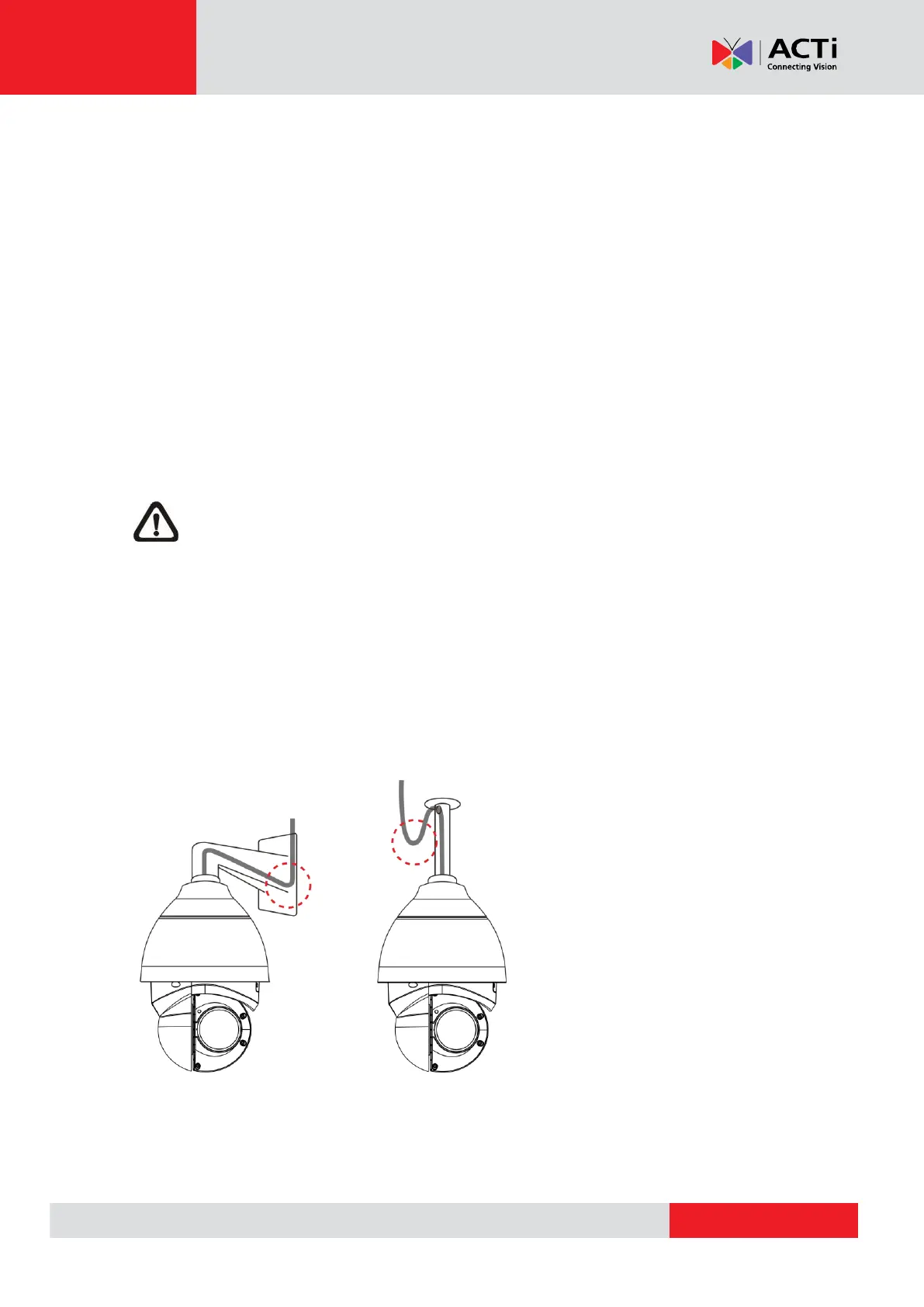
While running cables, slightly bend the cables to a U-shaped curve to make a low point (as
demonstrated in the figures below). The purpose is to prevent water from entering the camera
along the cables from above.



 To Next Page