Hardware Manual
14
Mount the Camera
Follow the steps to mount the camera with the Wall Mount.
STEP 1
Make a cable entry hole on the wall to recess the cables. Run the Ethernet cable
through the pendant mount. If there are other cables, such as power cable, alarm
I/O cable or audio I/O cable, also insert them through the pendant mount.
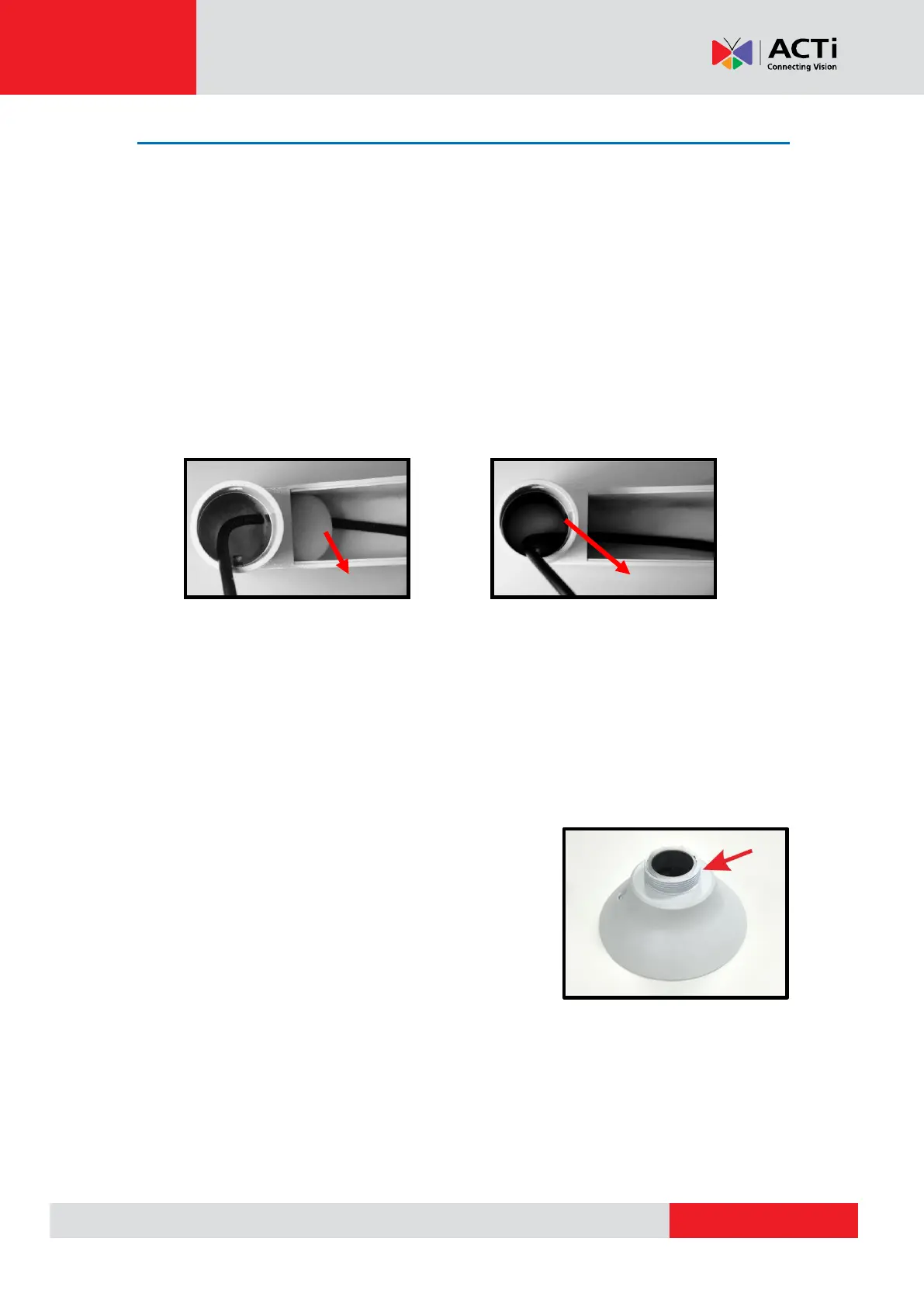
NOTE: Please block the cable entry hole with the supplied sponge to avoid
insects entering the pendant mount. The sponge can be placed in two ways as
shown in the illustrations below.
STEP 2
Align the screw holes on the pendant mount with the drilled holes and fix the
pendant mount to the wall with four screws.
STEP 3
Coat the PTFE thread seal tape (not supplied) to
the thread of mounting kit around five times for
waterproof purpose as Fig. 5.



 To Next Page