Hardware Manual
9
Physical Description
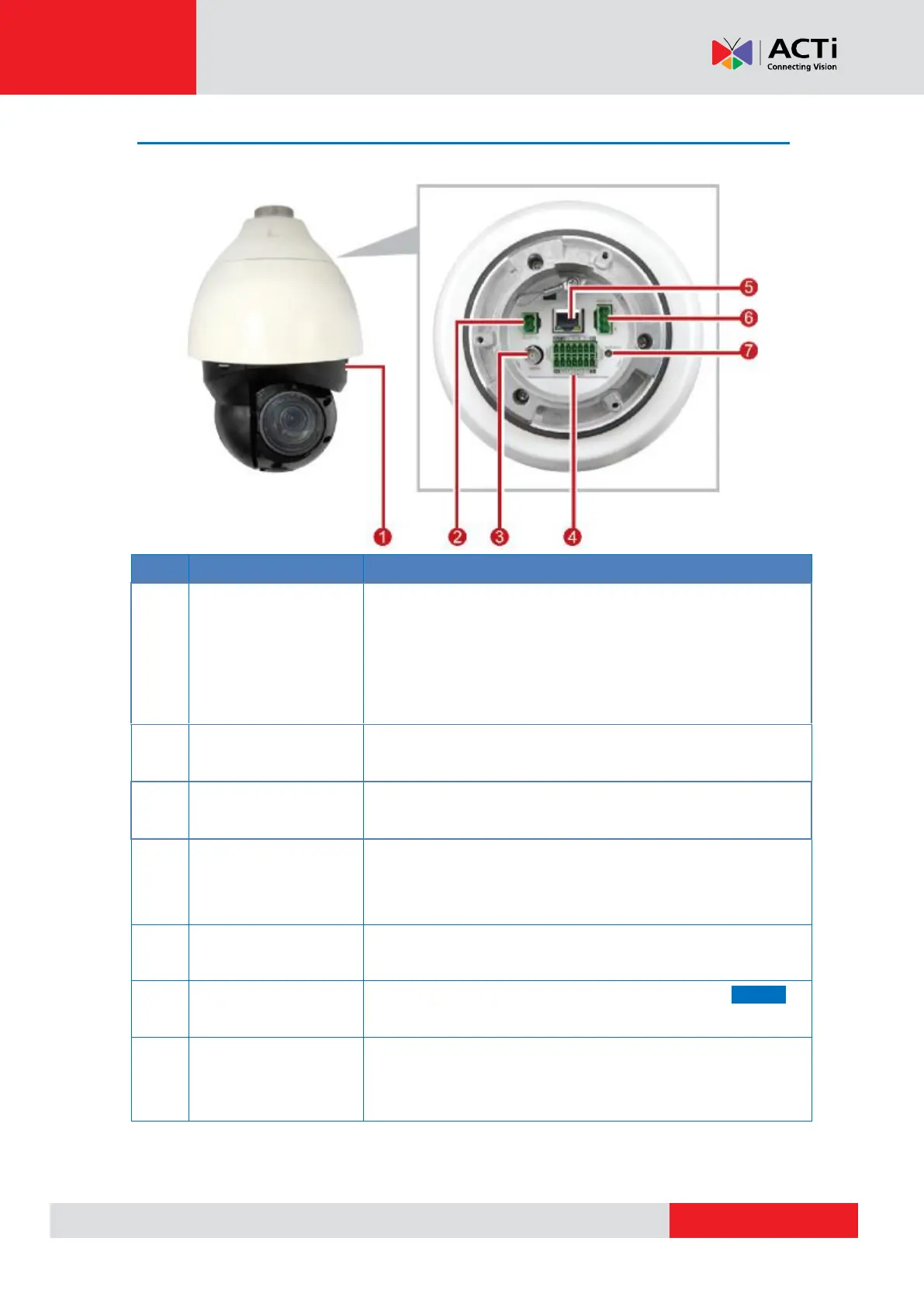
Insert a memory card into this slot for local recording purposes.
See Insert the Memory Card (Optional) on page 12 for more
information.
NOTE: Supports microSDXC cards only. Need a microSD card
adapter to connect to camera.
Connects to the bundled power adapter to supply power to the
camera. See Power Connection on page 18 .
Analog Video Output
Connector
Connects to an analog video output monitor using BNC
connector.
Audio Input / Output,
Digital Input / Output,
Serial Port Connector
This jack connects to an audio input / output device, digital
input / ouput, and serial devices. See Audio, Digital Input /
Output and Serial Connection on page 20.
The Ethernet port connects to a network and used for UPOE
connection.
This jack connects to an AC 24V power source. See AC24V on
page 19 for terminal block mapping.
The reset button is used to restore the camera factory default
settings. Using a tool, press and hold for at least 20 seconds to
reset.
*Please contact the manufacturer for compatible PoE injector.



 To Next Page