Hardware Manual
10
Physical Description
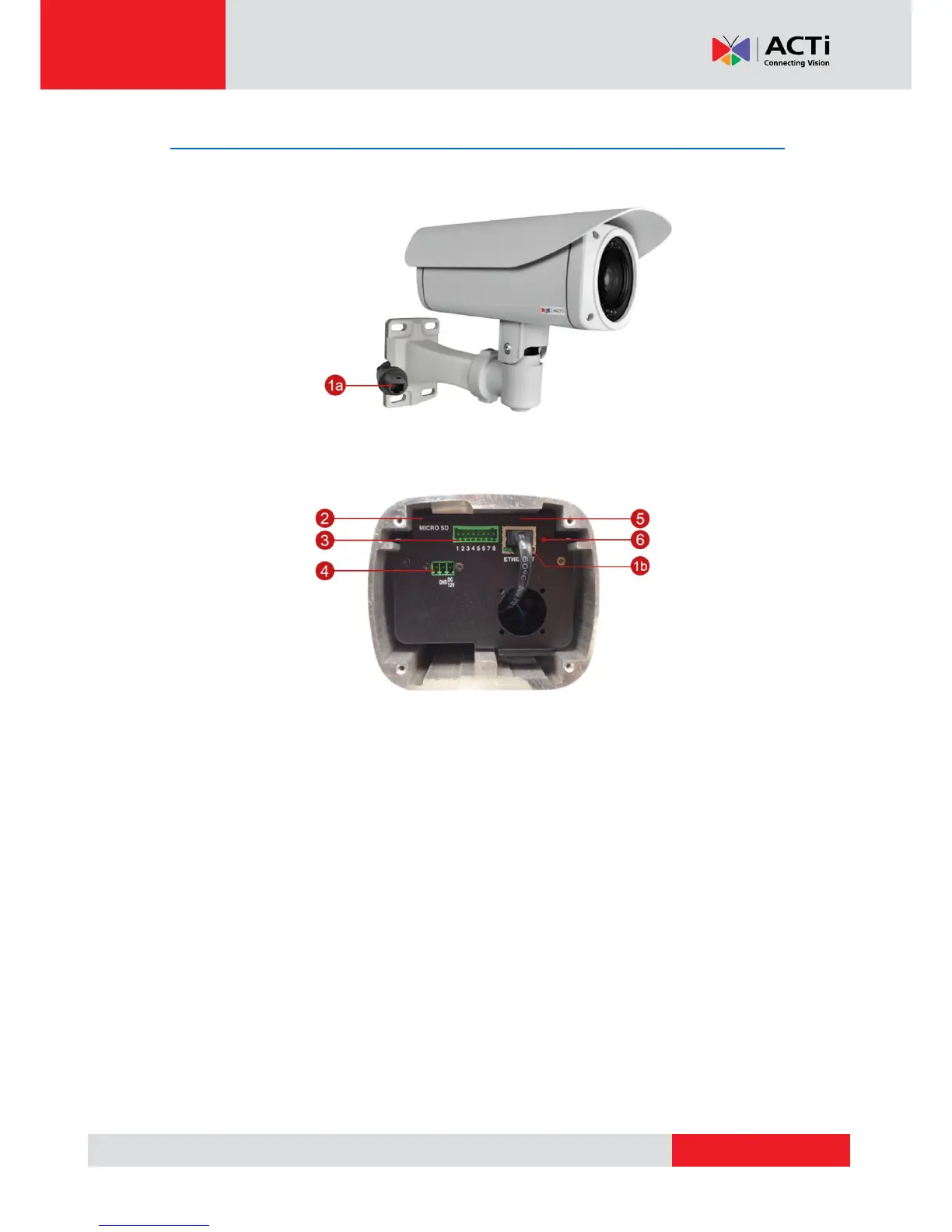
Exterior View
Connectors View
NOTE: The connectors are hidden under the housing cover.
1) Ethernet Ports
The Ethernet port (1a) of the cable-out or “pigtail” connects to a network using an Ethernet
cable.
The Ethernet port (1b) on the housing connects the cable-out or “pigtail” to the camera.
NOTE: It is possible to replace the “pigtail” with a standard Ethernet cable by disconnecting
the pigtail and connecting the preferred cable to this port.
2) Memory Card Slot
Insert a memory card into this slot for local recording purposes. See How to Insert a
Memory Card on page 45for more information.
NOTE: Supports microSDHC and microSDXC cards.



 To Next Page