Hardware Manual
42
Other Adjustments and Accessories
How to Remove the “Pigtail”
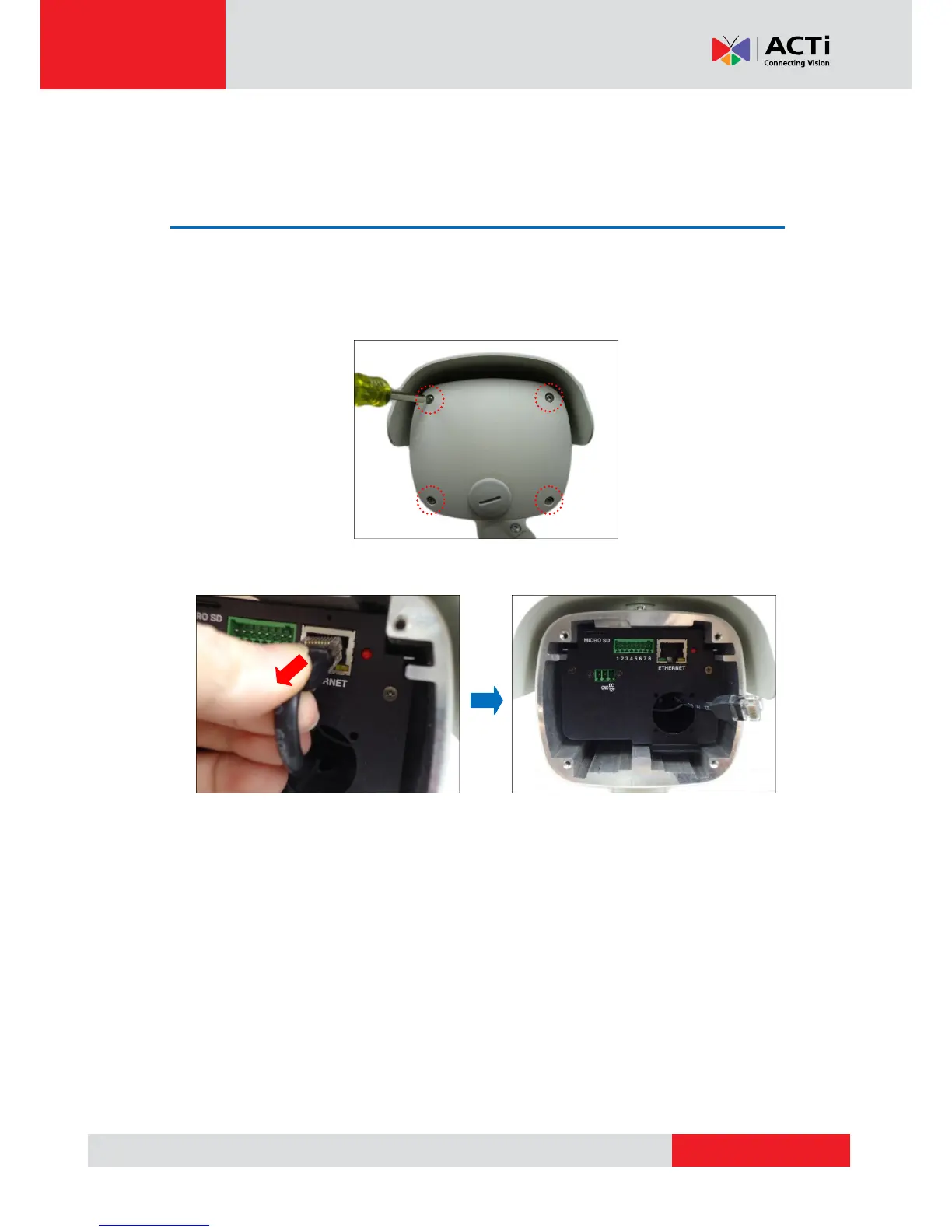
For applications that may require the use of the Ethernet port at the back of the camera, remove
the “pigtail” from the camera. Follow the procedures below:
1. Loosen the four (4) screws to remove the back cover of the camera.
2. Disconnect the network cable from the Ethernet port and let it loose.
NOTE: This network cable is the other end of the “pigtail”.



 To Next Page