E41 Hardware User’s Manual
15
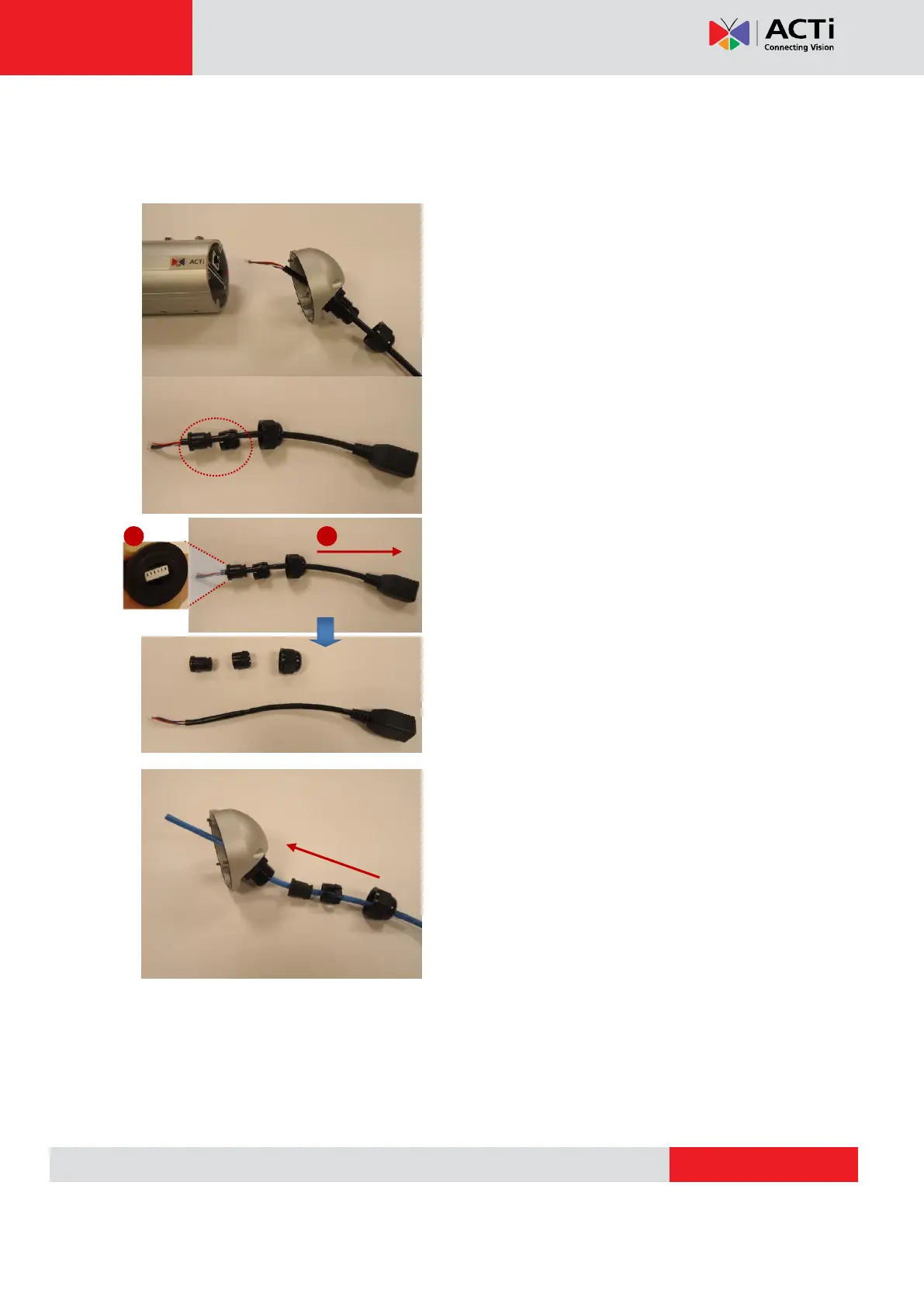
The following images show the step-by-step procedure of replacing network cable and
completing the water-proof installation.
1.Open the back side cover from camera, and
remove the network cable, and loosen the sealing
nut to release the network cable from camera.
2.Separate the seal from the claw.
3.Squeeze the seal and then pull out the bundled
network cable.
4.Pull the new network cable through Sealing Nut,
Claw, Seal and cable gland on the back side cover
of camera sequentially.



 To Next Page