E41 Hardware User’s Manual
16
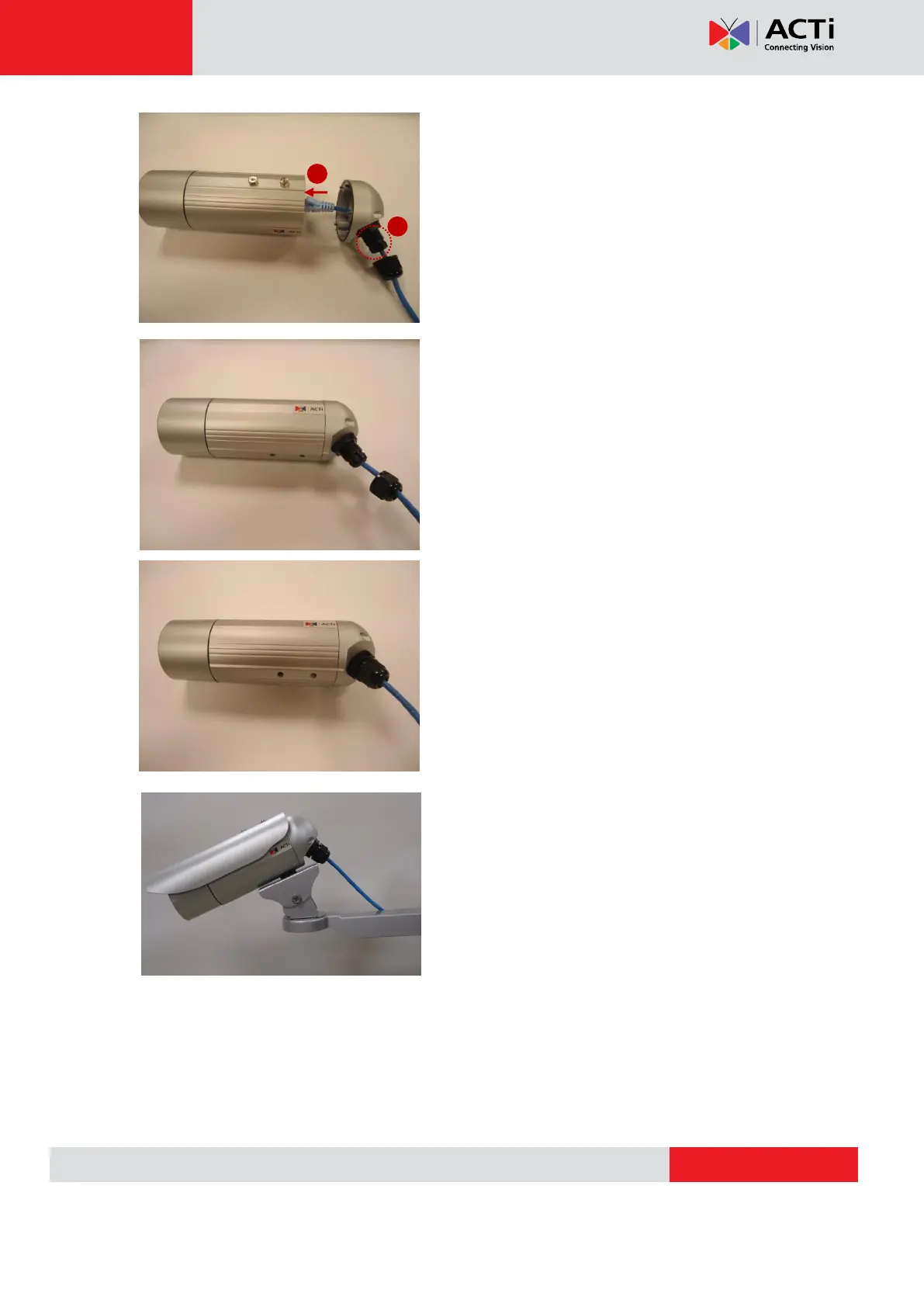
5.Assemble the Seal and Claw, and then Insert the
network cable to RJ-45 PoE connector.
6. Tighten the screws of the back side cover on the
camera properly
7.Tighten the sealing nut as far as possible.
8.Finally, the bullet camera is now properly
mounted with waterproof cabling and is ready to
attach to the proper outdoor bracket.



 To Next Page