Hardware Manual
21
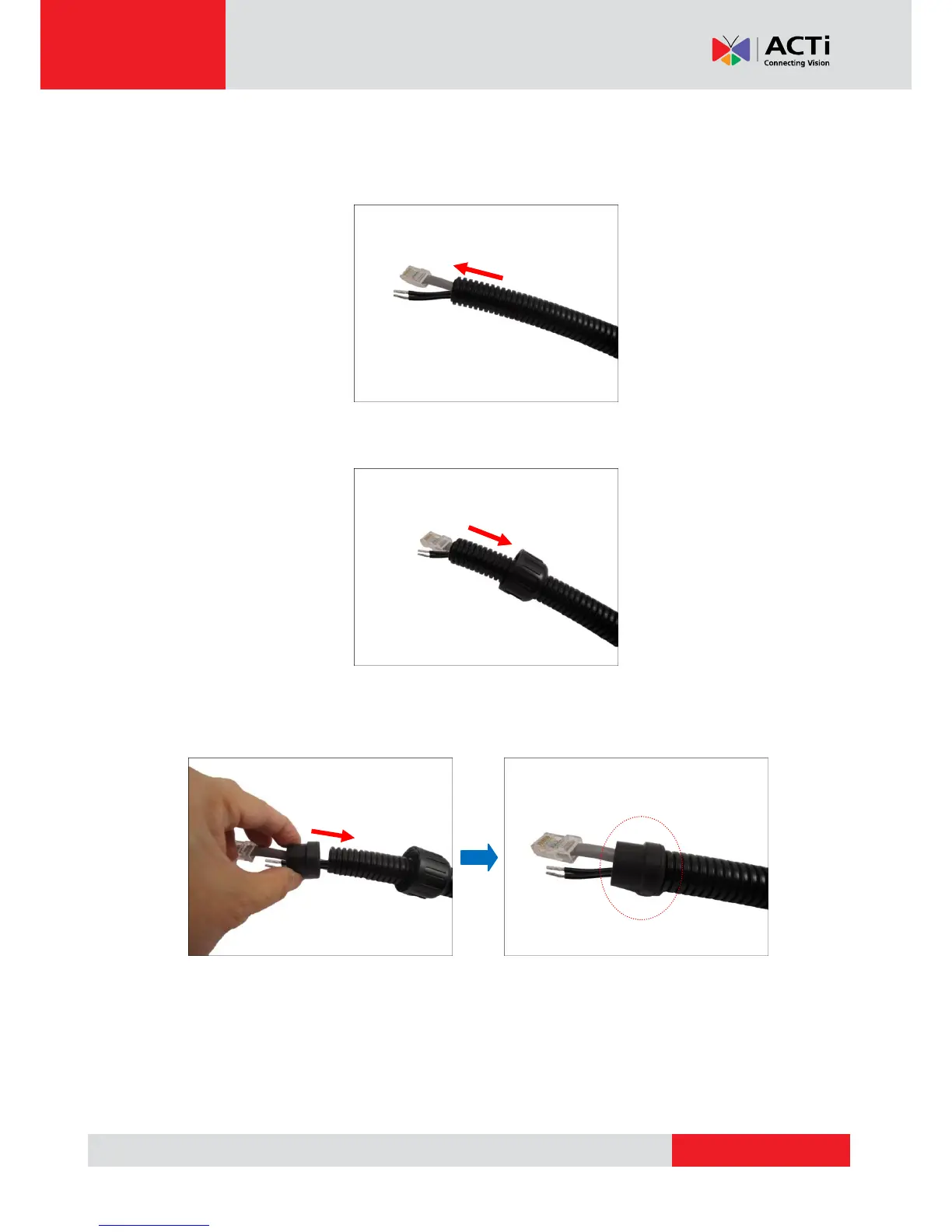
3. Pull the network cable through the flex conduit. If connecting other input/output devices or an
external power adapter, pull the cables through the flex conduit without connectors. The
terminal blocks will be attached once the cables pass through the camera hole later.
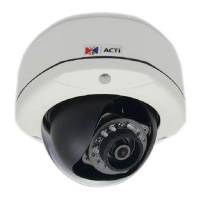
4. Insert the clamping nut through the flex conduit.
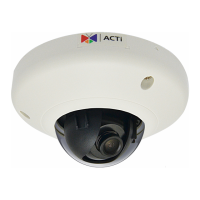
5. Insert the sealing insert and attach it at the end of the flex conduit.



 To Next Page