Hardware Manual
24
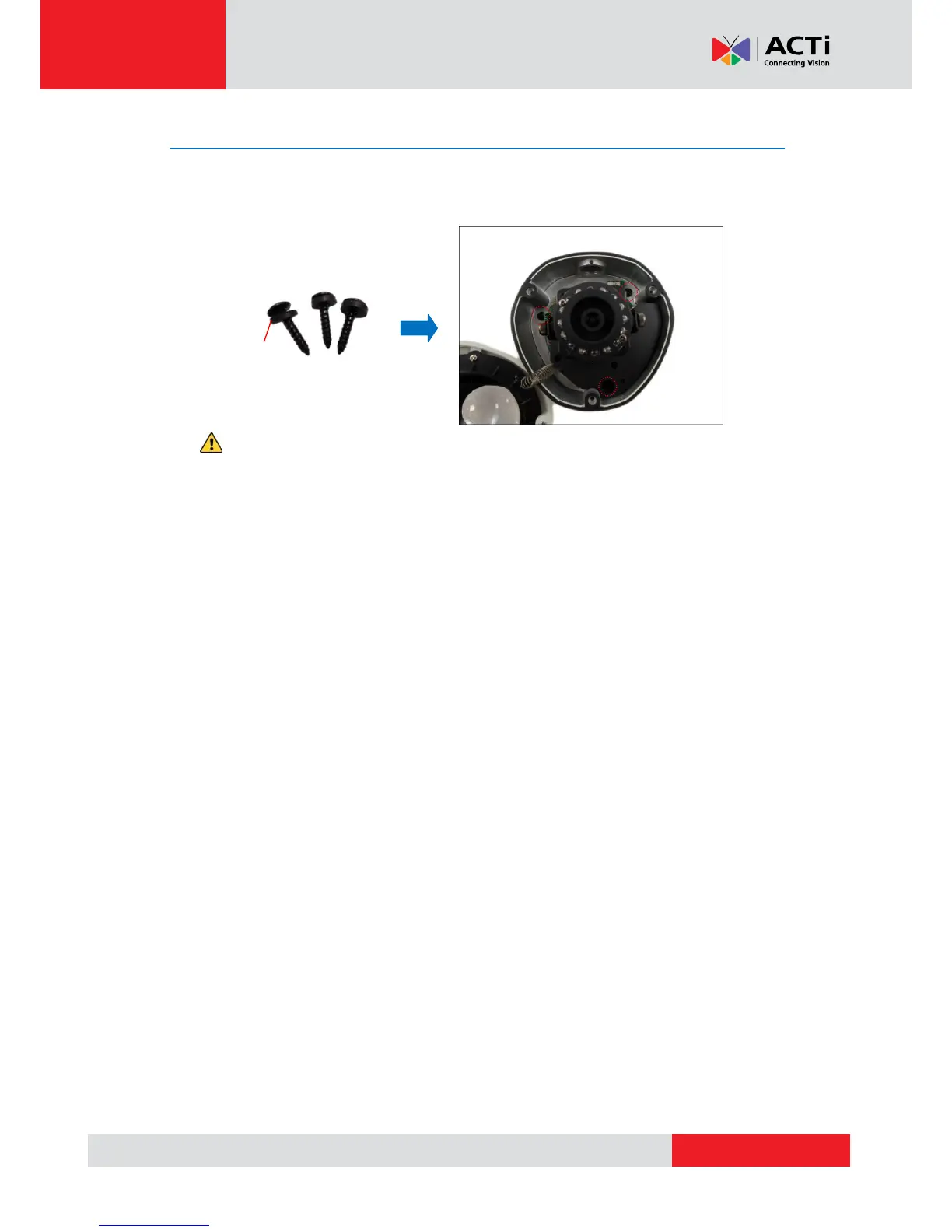
Step 4: Install the Camera to the Surface
Align the camera screw holes and the conduit hole (if necessary) to the holes on the surface and
attach the three (3) supplied screws with rubber rings to secure the camera.
CAUTION: When using electric screwdrivers, be careful not to touch the internal
camera components while attaching the screws. Since electric screwdrivers vary in sizes,
speed, and force, they may bruise and damage the internal camera components.
DISCLAIMER: ACTi will not be responsible for camera damage caused by improper
installations or the misuse of equipment for installation.



 To Next Page