Hardware Manual
25
Step 5: Connect the Cable
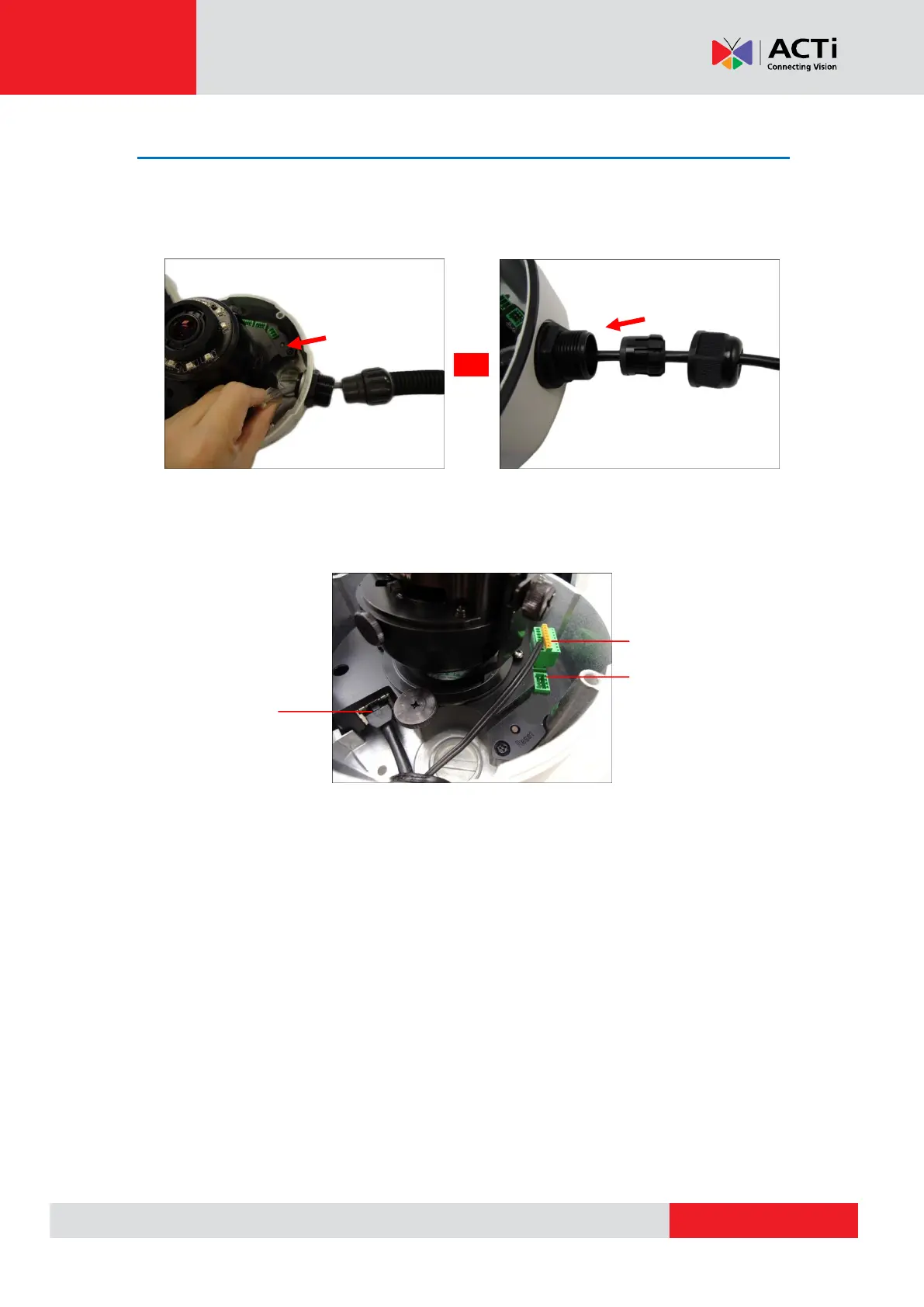
1. If the cable will be routed along the surface, pull the network cable through the side
conduit hole and attach the clamping nut to the conduit gland body. If the cable passes
through the surface, skip to step 2.
Using Flex Conduit Using Naked Cable
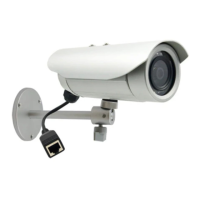
2. Connect the network cable to the Ethernet port and other cables (if any) to the corresponding
connectors on the camera.
Digital Input / Output
(DI/DO) Connector
Audio Input / Output
Connector


 To Next Page