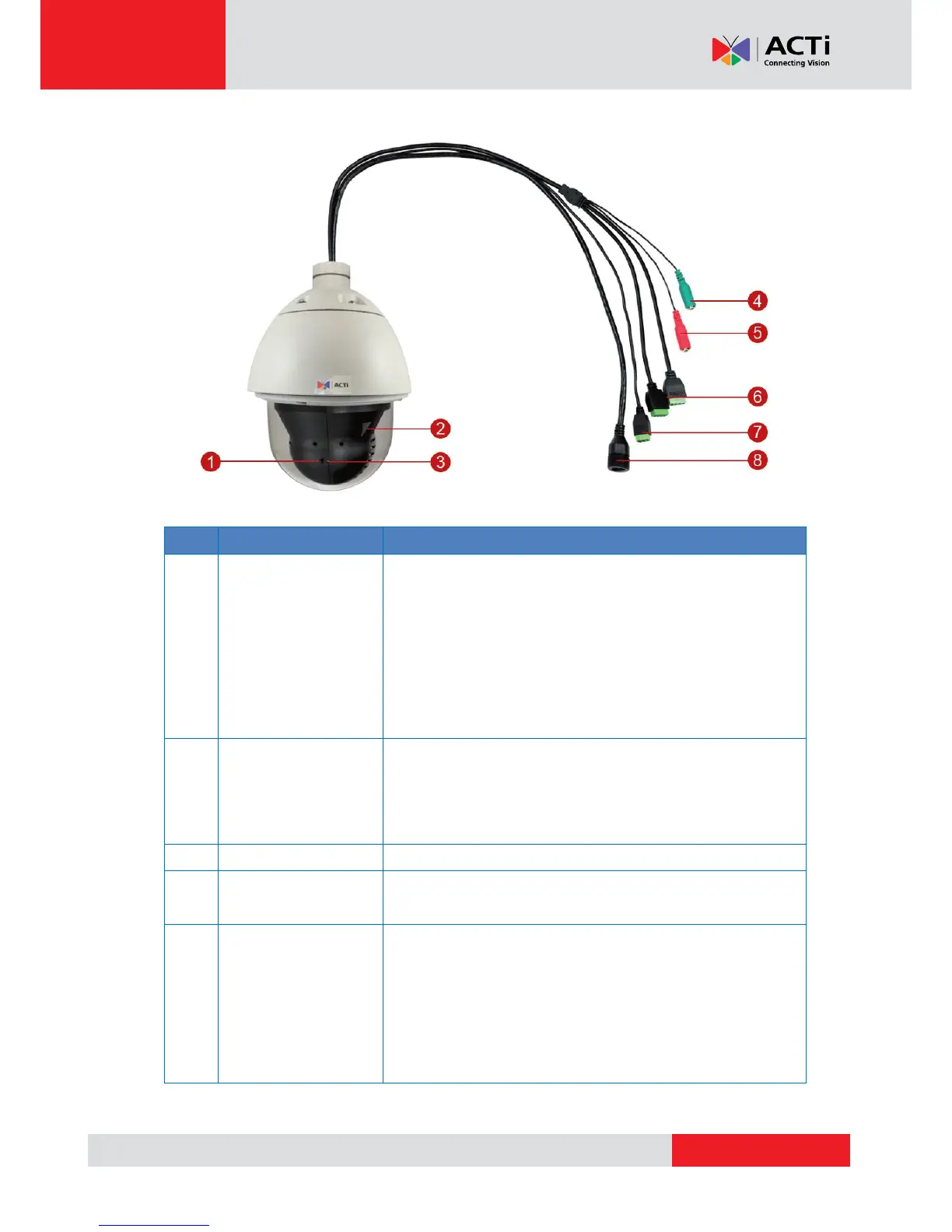
The reset button is used to restore the factory default settings
of the camera, including the administrator’s password.
To reset the camera, do the following:
a. Loosen the four (4) screws using the bundled hex
screwdriver to remove the cover.
b. Press and hold the reset button for at least 5 seconds or
until the Power LED goes off.
Insert a memory card into this slot for local recording purposes.
See How to Install the Memory Card (for I910 only) on page
42 for more information.
NOTE: Supports microSDHC and microSDXC cards.
The Power LED lights red when the camera is powered up.
This jack connects to an audio output device, such as a
speaker. See How to Connect Audio Devices on page 41.
This jack connects to an audio input device, such as a
microphone with built-in amplifier. See How to Connect Audio
Devices on page 41.
NOTE: Make sure that the connected audio input device has a
built-in amplifier. Connecting an ordinary microphone will dwarf
sounds and will result in inaudible recording.



 To Next Page