Hardware Manual
9
Physical Description
I93, I94, I95, I96
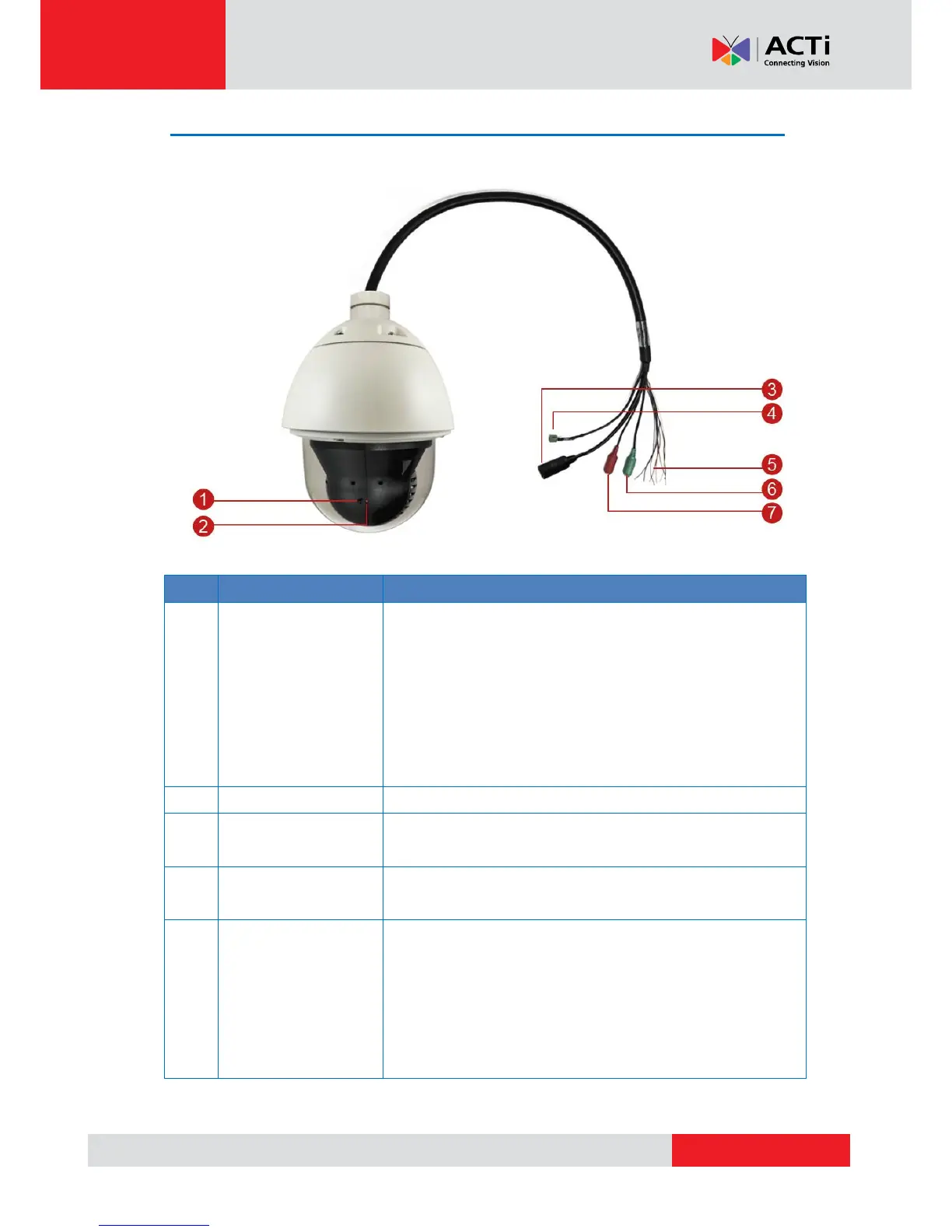
The reset button is used to restore the factory default settings
of the camera, including the administrator’s password.
To reset the camera, do the following:
a. Loosen the four (4) screws using the bundled hex
screwdriver to remove the cover.
b. Press and hold the reset button for at least 5 seconds or
until the Power LED goes off.
The Power LED lights red when the camera is powered up.
The Ethernet port connects to a network using a standard
Ethernet cable.
This jack connects to the power adapter and power cord to
supply power to the camera.
The colored cables connect to digital input or output devices,
such as an alarm trigger, panic button, etc. Digital Input (DI)
and Digital Output (DO) devices are used for applications like
motion detection, event triggering, alarm notifications, etc. See
How to Connect Digital Input / Digital Output Devices on
page 35 for information.



 To Next Page