Hardware Manual
12
Step 3: Mount the Camera
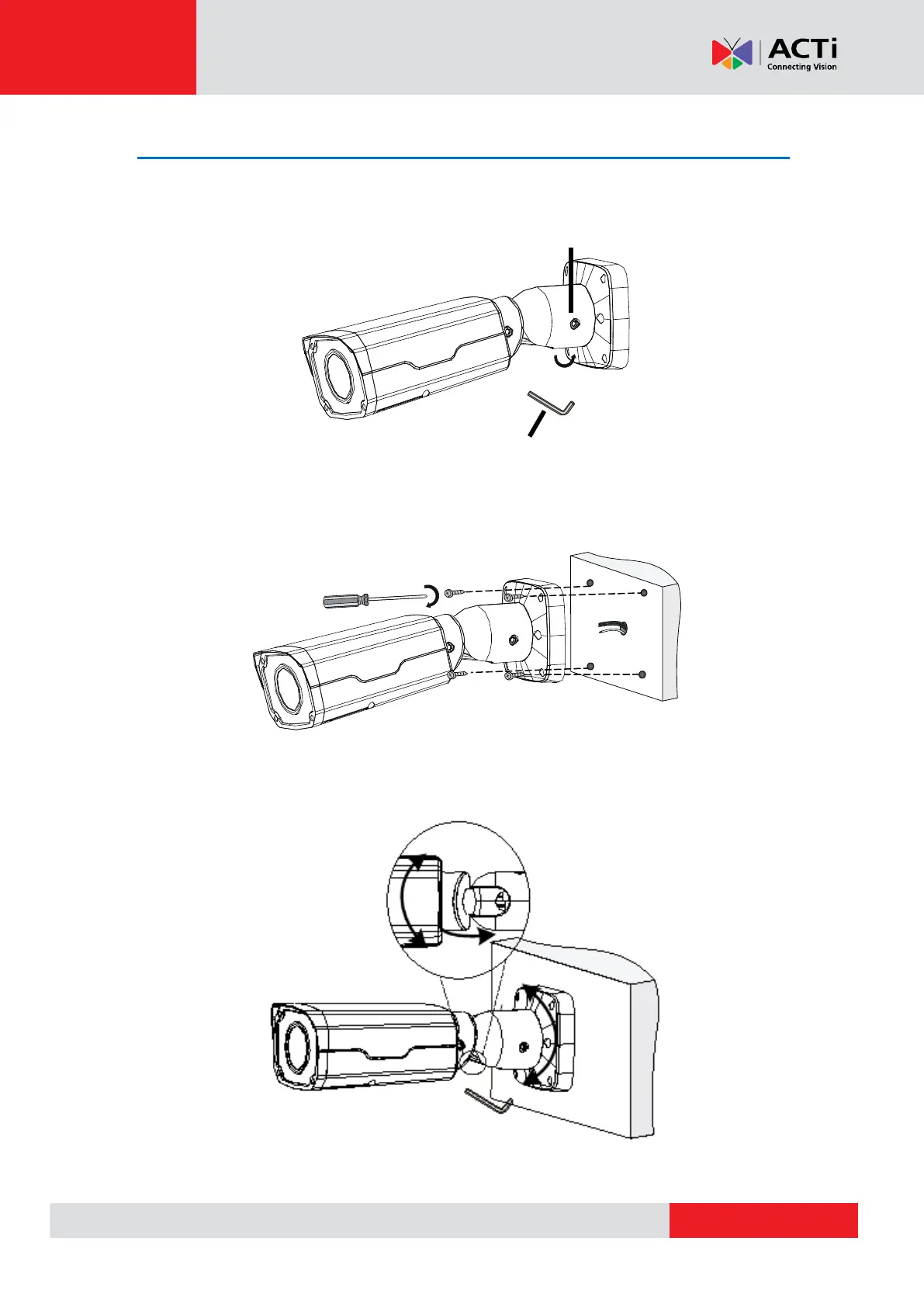
1. Loosen the head screw to tilt the camera, as needed, before mounting the camera to the
wall surface.
2. Mount the camera to the surface using the four (4) bundled screws.
3. Adjust the camera tilt angle, then fasten the head screw to fix the camera angle position.
4# Hex L-key
Hex fillister-head screw
Lead tapping screws through the
guide holes in the base and fix them
to the wall by using a screwdriver.



 To Next Page