Hardware Manual
15
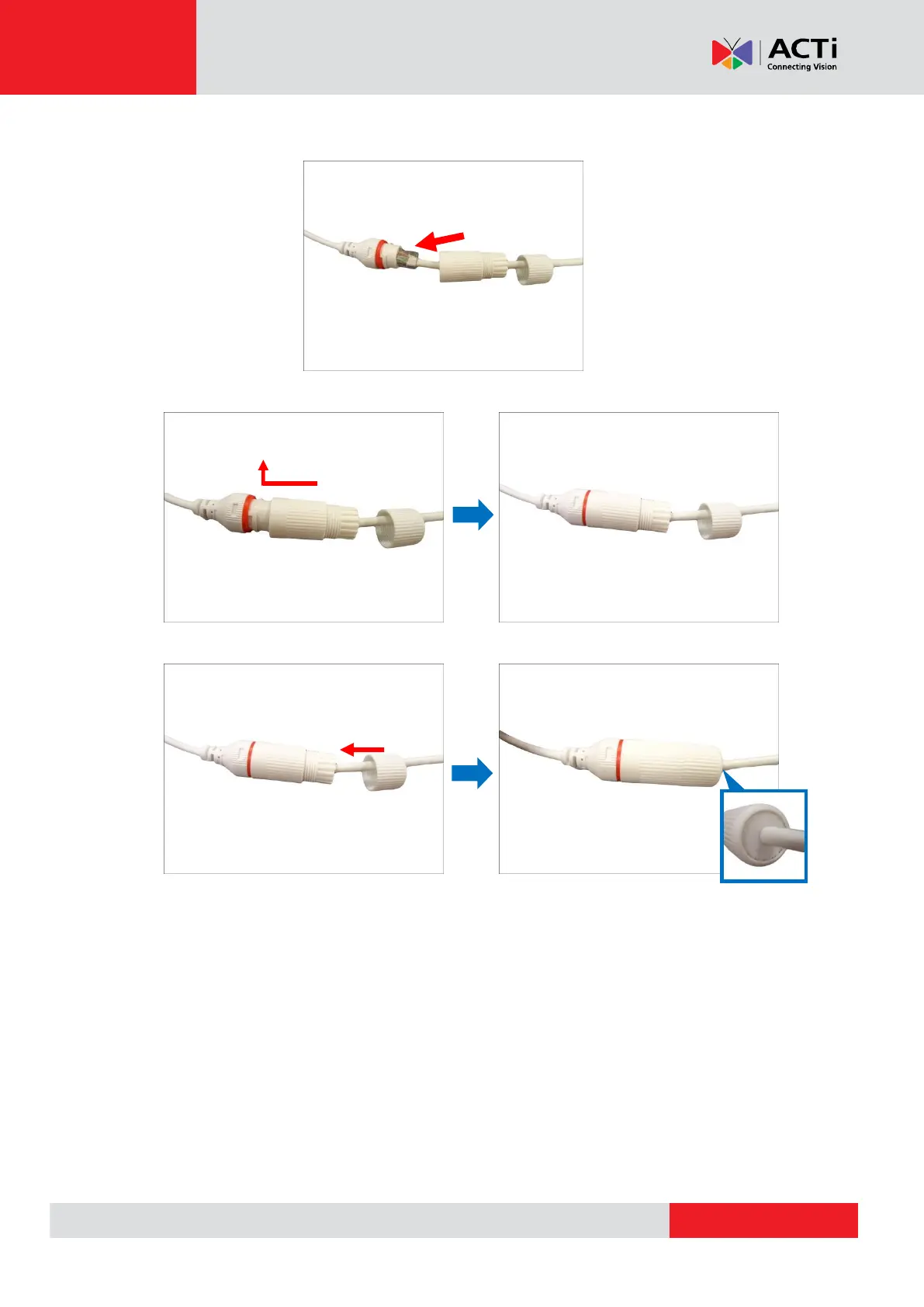
7. Connect the RJ-45 connector to the camera connector.
8. Attach the gland body to the camera connector.
9. Attach the clamping nut to the gland body to complete the cable solution.
NOTE: Make sure the clamping nut is tightly attached to the cable gland body and the sealing
insert is squeezed tightly.
Using a Power Adapter (Optional)
The camera can be powered by a Power over Ethernet (PoE) switch that is IEEE802.3af
compliant. In case of using a non-PoE switch or your PoE switch has limited power supply, you
can purchase a power adapter and directly connect the camera to a power outlet.
After connecting the power adapter, make sure to protect the cable connection.
NOTE: The power adapter is not bundled in the package.



 To Next Page