EasyManua.ls Logo

Actia ACT550 - Page 5

Actia ACT550
36 pages
Print Icon
To Next Page IconTo Next Page
To Previous Page IconTo Previous Page
Loading...
ACT550 USER MANUAL
480258EN-1.0 29/06/2016 Page 4 of 34
POL.
C/ CALIDAD, 66
28906 GETAFE
Tel: +34 91 665 26 26
Fax: +34 91 665 23 24
N.I.F. ES-A-28905065
ER-
1482/1999
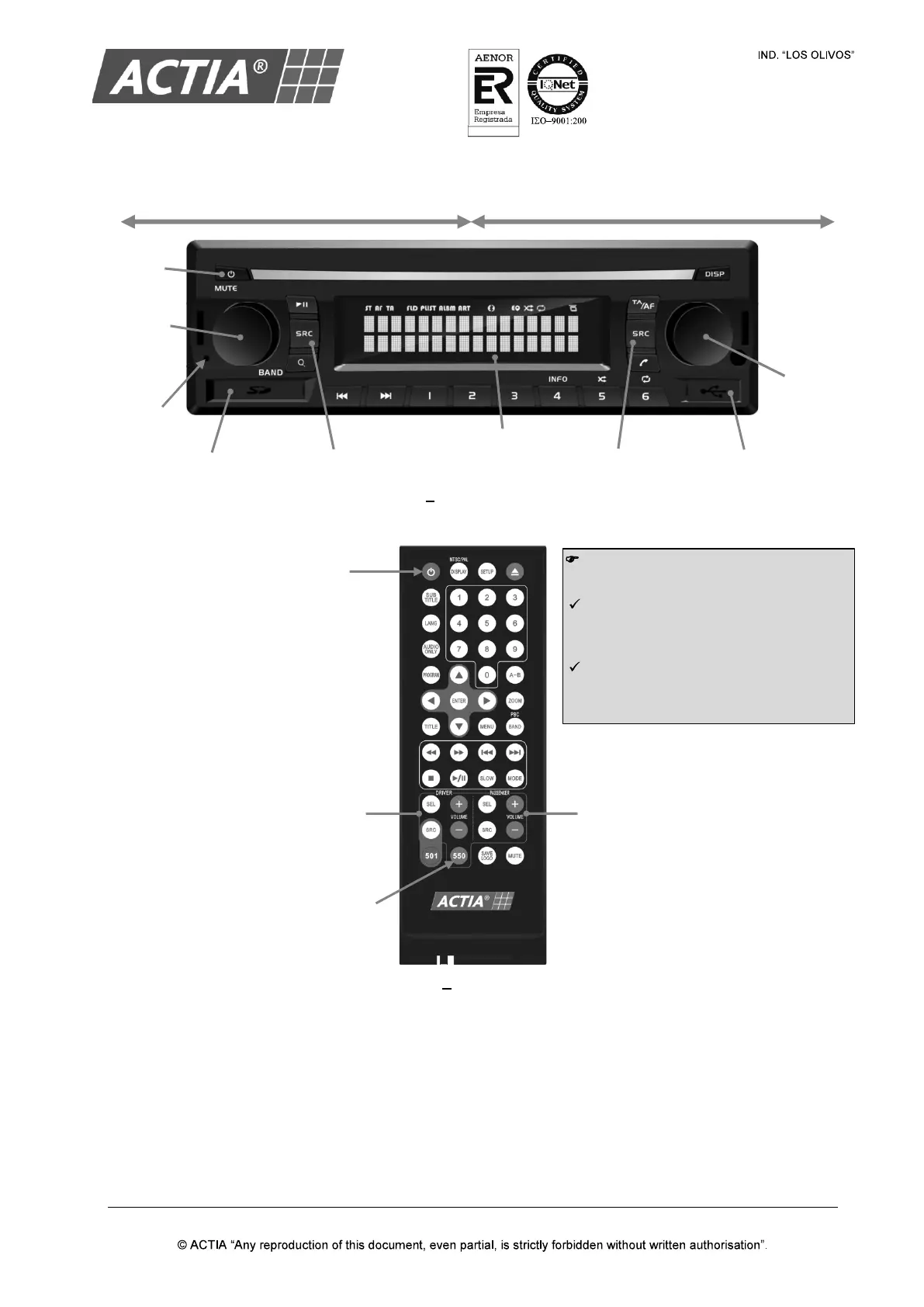
Figure 1 ACT550 Front Panel
Figure 2 Remote Control
Note!
Before the first use:
Pull out the battery insulation sheet
protruding from the bottom of the
remote control.
Press the key [550]
to link the
remote control to the
Equipment
ACT550.
USB PORT
LCD SCREEN
SD CARD SLOT
POWER
DRIVER ZONE VOLUME
AND SOURCE SELECTIO
N
CONTROLS (DRV)
PASSENGER
ZONE VOLUME
AND SOURCE SELECTION
CONTROLS (PSG)
LINK THE REMOTE
CONTROL TO THE
EQUIPMENT ACT550
DRV
VOLUME
KNOB
POWER
DRV SOURCE
SELECTOR
PSG SOURCE
SELECTOR
PSG
VOLUME
KNOB
RESET
BUTTON
DRIVER ZONE (DRV)
PASSENGER ZONE (PSG)