ACT550 USER MANUAL
480258EN-1.0 29/06/2016 Page 9 of 34
POL.
C/ CALIDAD, 66
28906 GETAFE
Tel: +34 91 665 26 26
Fax: +34 91 665 23 24
N.I.F. ES-A-28905065
ER-
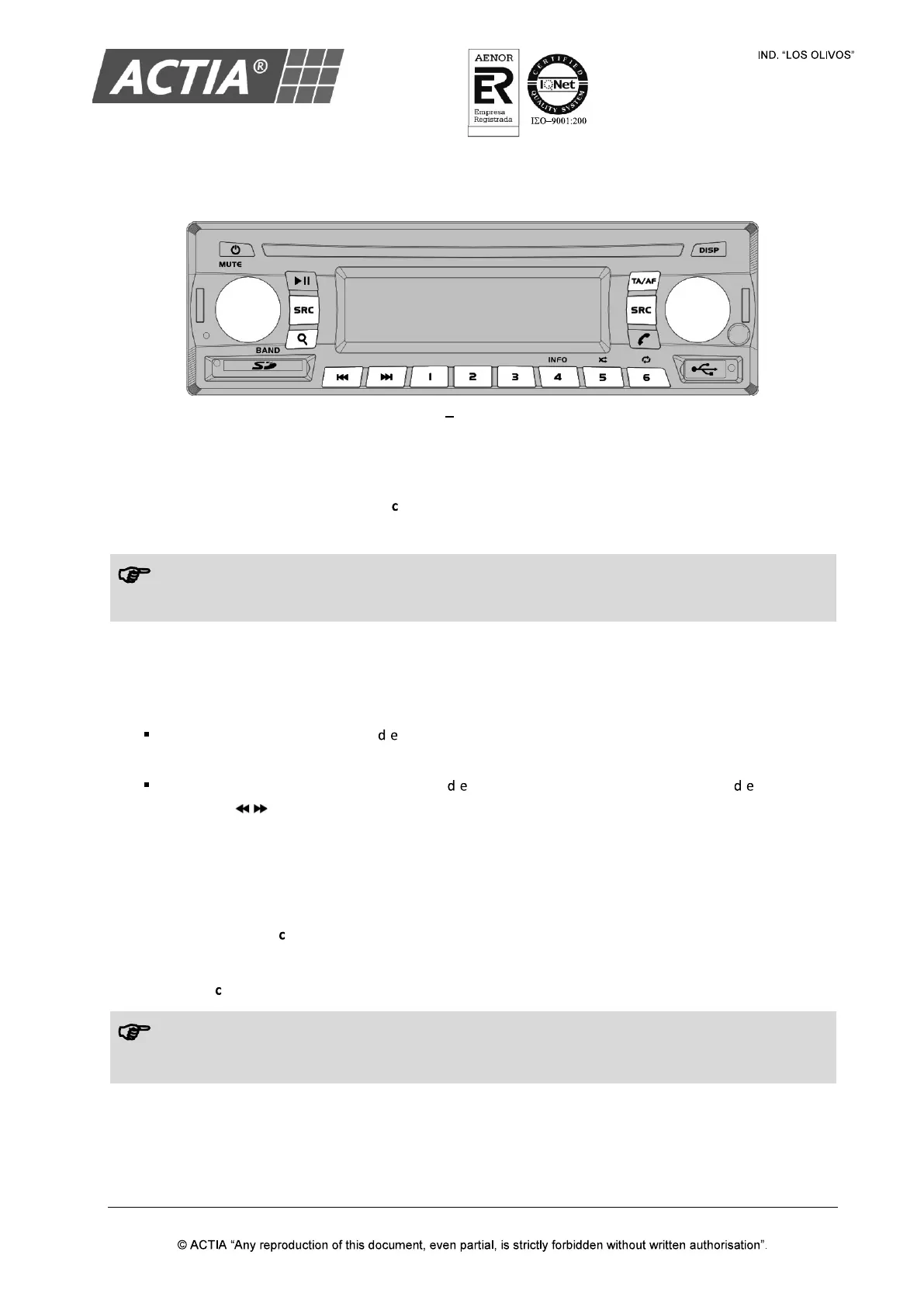
4. AM/FM Radio
Figure 5 Radio Controls
4.1. Select a Frequency Band
With the Radio source selected, press [ ] / [BAND] repeatedly to select a frequency band: FM1, FM2,
FM3, AM1 or AM2.
Each frequency band has associated 6 memory positions.
4.2. Tune a Radio Station
With the Radio source selected:
Auto tuning (SEEK): press [ / ] to tune automatically to the next or previous station to the
current frequency.
Manual tuning (TUNE): press and hold [ / ] to activate the manual tuning. Press [ / ] repeatedly
(or press [ / ] on the remote control) to adjust the tuning frequency.
4.3. Radio Stations Continuous Scan
With the Radio source selected:
1. Press and hold [ ] / [BAND] to start the continous scan
When the equipment finds a valid radio station, the scan stops for a few seconds.
2. Press [ ] / [BAND] to stop the scan.
Note!
If the TA function is activated, the radio will only stop at those stations broadcasting traffic
and information.


 To Next Page