ACT550 USER MANUAL
480258EN-1.0 29/06/2016 Page 6 of 34
POL.
C/ CALIDAD, 66
28906 GETAFE
Tel: +34 91 665 26 26
Fax: +34 91 665 23 24
N.I.F. ES-A-28905065
ER-
3. Basic Operation
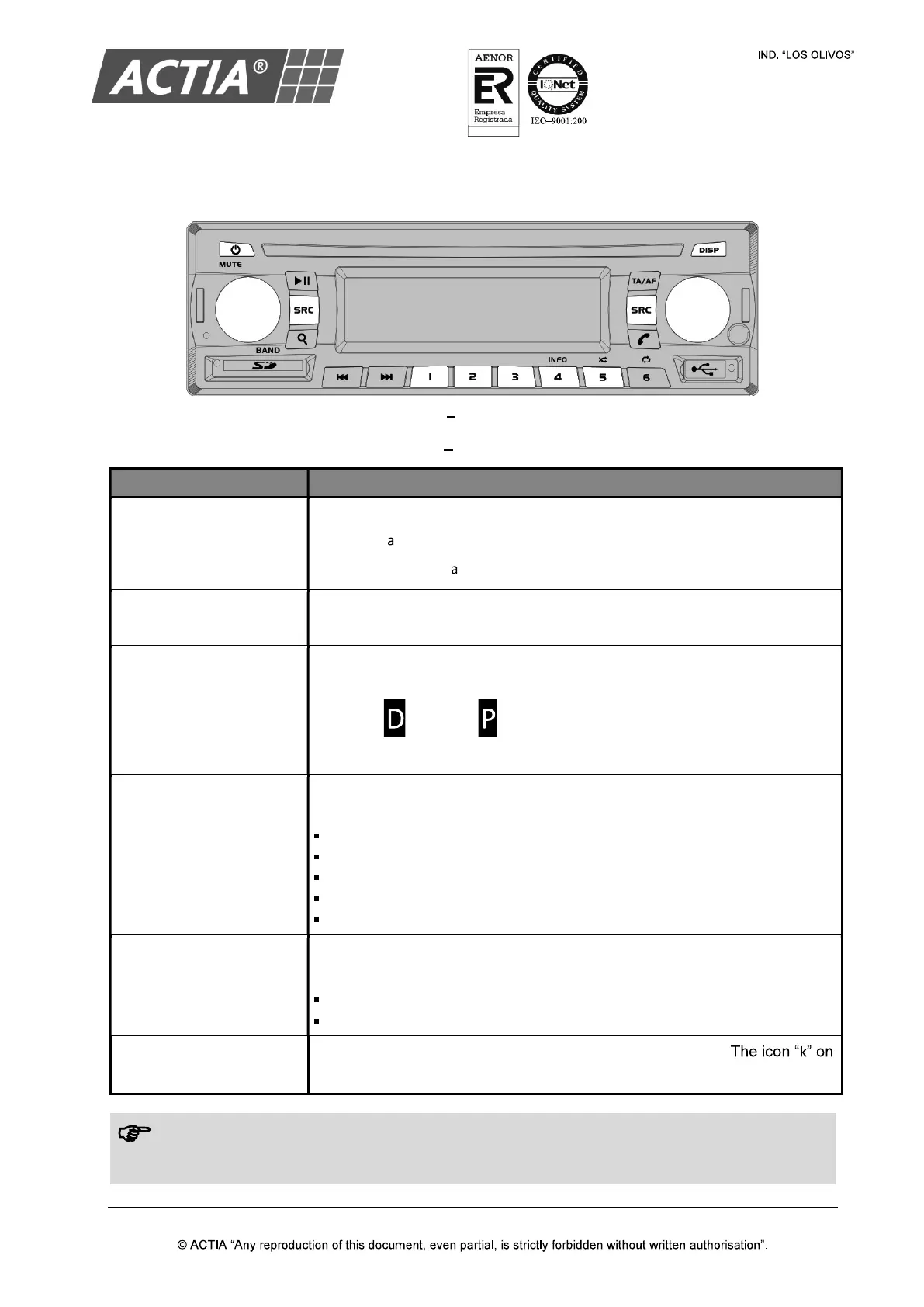
Figure 4 Basic Controls
Table 1 Basic Controls
TO ACTION
Turn on/off the equipment
1. Put the vehicle ignition to ACC
2. Press [ ] to turn on the equipment
3. Press and hold [ ] to turn off the equipment.
Adjust the volume
Turn the [VOLUME] knob or press the [VOLUME] keys on the remote
control.
Select a zone
Press the [VOLUME] knob or the [SEL] key on the remote control, for the
concerned zone (driver or passenger).
The icons (Driver) o (Passenger) on the LCD screen indicate the
active zone at all times.
Select a source
Press [SRC] repeatedly for the concerned zone until select the desired
source:
Radio AM/FM.
USB Player.
SD Card Player.
AV AUX (Auxiliary Input).
Wireless Audio (only available in the driver zone).
Silence the speakers
Press [MUTE].
To release:
Press [MUTE] again to return to previous volume.
Reduce the volume and then increase it to unlock the silence.
Turn on the passenger
screens
Press [DISP] to turn on/off manually the passenger screens.
the LCD screen indicates that the passenger screens are ON.
Note!
For the remote control works with the ACT550 equipment, link the remote control with the
equipment by pressing [550].


 To Next Page