ACT550 USER MANUAL
480258EN-1.0 29/06/2016 Page 7 of 34
POL.
C/ CALIDAD, 66
28906 GETAFE
Tel: +34 91 665 26 26
Fax: +34 91 665 23 24
N.I.F. ES-A-28905065
ER-
Some controls may not be available in the vehicle controls.
3.1. Restore the Factory Settings
To restore the values of the factory settings:
1. Switch off the equipment
2. Press and hold [DISP] while switching on the equipment [ ].
3.2. Reset of the Equipment
Perform a reset only if the equipment no longer responds to user controls.
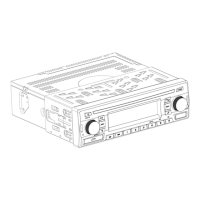
To perform a reset, press the button [RESET] located on the left of the front panel (refer to Figure 1).
3.3. Reset and Restore the Factory Settings
Note!
Perform a reset and restore the factory settings only if the equipment no longer responds
controls.
1. Press [RESET] + [DISP] simultaneously for 5 seconds
2. Release the button [RESET] while holding the key [DISP] until 3 beeps are heard.
3.4. Equipment Firmware Version
To display the equipment firmware version:
1. Select a source other than Radio
2. to Section 10)
3. Press and hold the key [1]. The firmware version is displayed in the LCD screen.


 To Next Page