| Continued
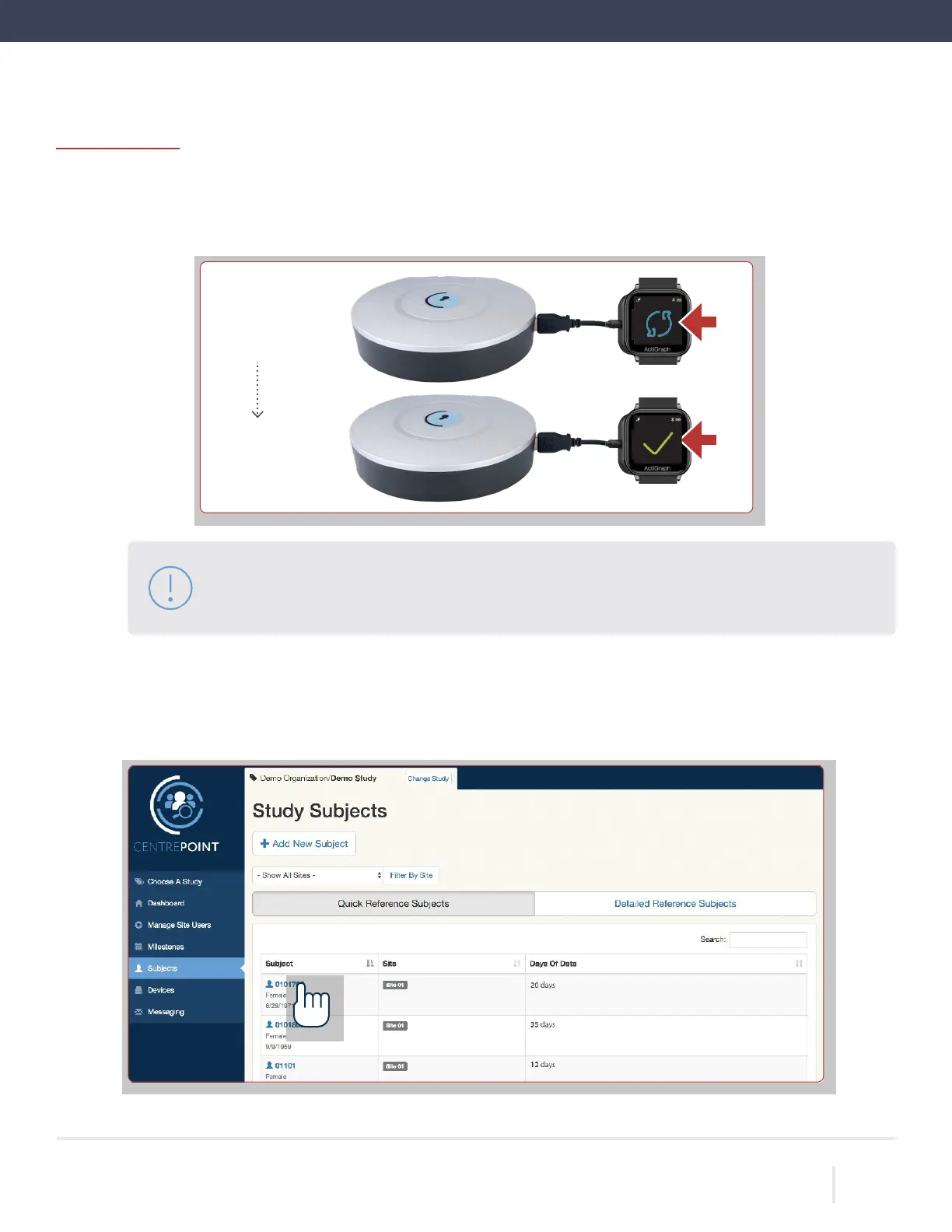
Place the LEAP on the charger. Once connected, a progress wheel will appear on the screen indicating that an
upload has begun. When the upload is complete, a check
-mark will appear on the screen.
Please note: If you see a warning sign on the screen of the LEAP, pull it from the charger and
place again. Make sure you see a check-mark on the screen before proceeding to the next step.
Verify connection and test upload status in
Login to the CentrePoint web portal. Select the “Subjects” tab from the left hand menu, and select the desired
subject from the list.
ACTIGRAPH LEAP™ | E.200.6025 | RELEASED: 10/09/2023 | REV: 0
THEACTIGRAPH.COM
Upload in
Progress
Upload
Complete



 To Next Page