| Continued
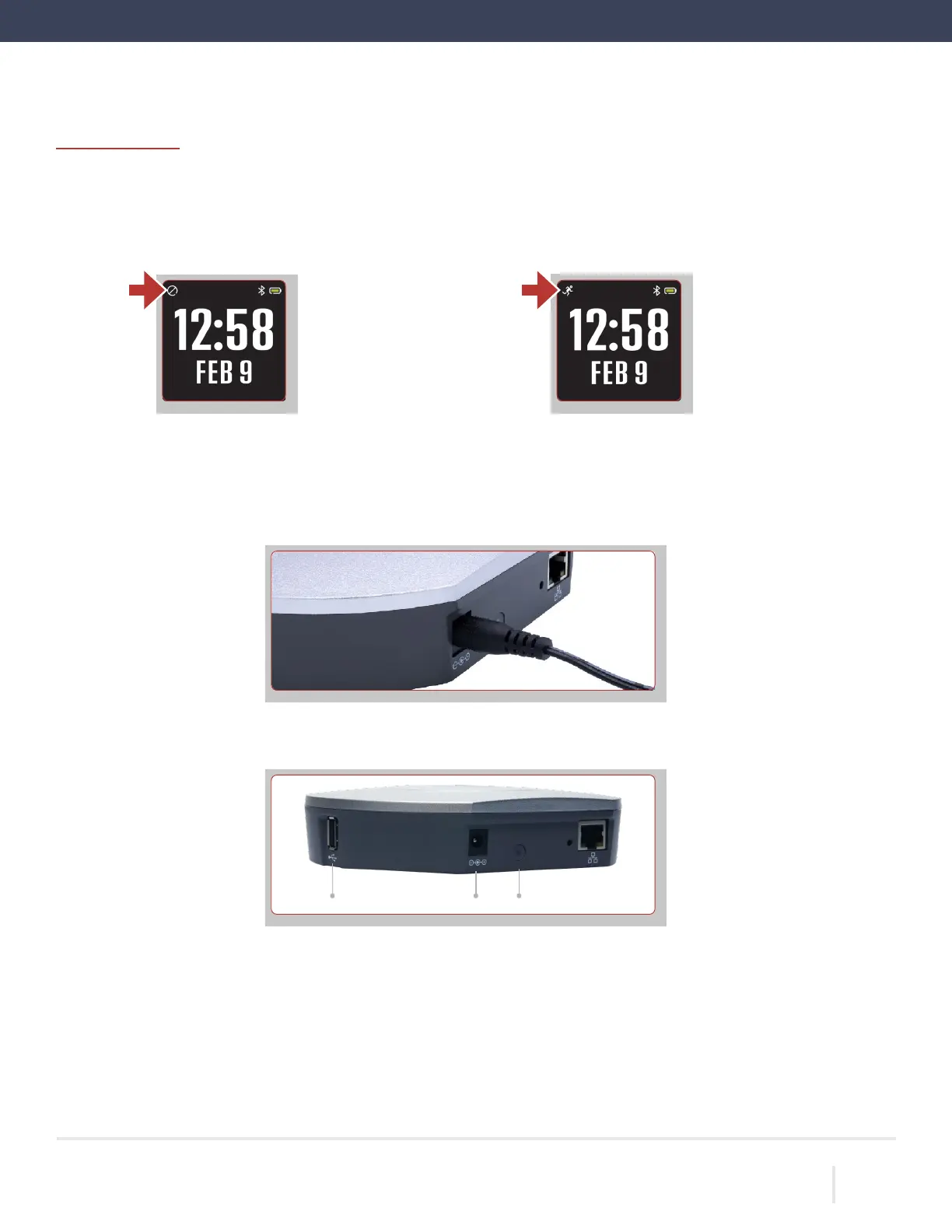
Remove the LEAP from the charging dock. Wait for the LEAP to go from halt mode into active mode, as indicated by
the running person icon in the upper left corner of the screen. This takes approximately 90 seconds.
Stop icon will be displayed
if the LEAP is not collecting
data.
A running person icon will
be displayed if the LEAP is
collecting data.
Pair the CP Data Hub with the LEAP
(If
you’re not using a CentrePoint Data Hub, skip ahead to Information for Participants)
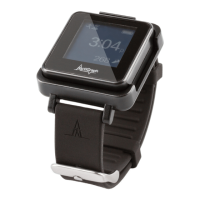
Connect the adapter end of the power cable into the back of the CP Data Hub and plug the other end into a wall outlet.
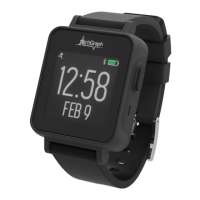
The blue LED status light on the back of the CP Data Hub will flash during startup. It may take up to 20 seconds for
the
light to begin to flash. Once the CP Data Hub connects to the cellular network, the blue LED light will stay on solid.
Connect the charger to the USB port on the CP Data Hub using the USB cable.
ACTIGRAPH LEAP™ | E.200.6025 | RELEASED: 10/09/2023 | REV: 0
THEACTIGRAPH.COM
USB Port Power Status Light


 To Next Page