EasyManua.ls Logo

ACU-RITE 06058 - User Manual

ACU-RITE 06058
16 pages
Print Icon
To Next Page IconTo Next Page
Loading...
Instruction Manual
CONTENTS
Unpacking Instructions ........... 2
Package Contents .................. 2
Product Registration ............... 2
Features & Benets: ................ 4
Setup .................................... 7
Placement Guidelines ............. 8
Using the Weather Station ...... 9
Expand the System................11
Troubleshooting ....................12
Care & Maintenance ............. 14
Specications ........................14
FCC Information ...................14
Customer Support .................15
Warranty..............................15
SAVE THIS MANUAL FOR FUTURE REFERENCE.
Questions? Contact Customer Support at
(877) 221-1252 or visit www.AcuRite.com.
Records
47
High Resolution
Weather Station Display
model 06058
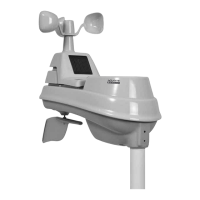
This product requires an AcuRite 5-in-1 Weather Sensor
(sold separately) to be operational.

Questions and Answers

  • D
    Dylan ChapmanAug 8, 2025
    Why are wind readings inaccurate on ACU-RITE Weather Station?
    • B
      Brian BriggsAug 8, 2025
      Inaccurate wind readings on your ACU-RITE Weather Station can be caused by several factors: * Compare your readings to those from a pro weather station at the same mounting height, typically 30 ft (9 m) or higher. * Ensure the sensor is mounted at least 5 ft (1.5 m) in the air, free from obstructions within several feet. * Check that the wind cups spin freely; if they don't, lubricate them with graphite powder or spray lubricant.
  • J
    Jeremy Johnson DDSAug 14, 2025
    What to do if temperature or humidity is inaccurate on ACU-RITE Weather Station?
    • U
      uandersonAug 15, 2025
      If your ACU-RITE Weather Station displays inaccurate temperature or humidity, consider the following: * Ensure both the display and 5-in-1 sensor are away from heat sources or vents. * Position both units away from moisture sources. * Make sure the 5-in-1 sensor is mounted at least 1.5 m (5 ft) off the ground. * You can also calibrate the indoor and outdoor temperature and humidity.
  • G
    gregorystacyAug 20, 2025
    Why temperature is showing dashes on ACU-RITE Weather Station?
    • A
      Allen MercadoAug 20, 2025
      If the temperature is showing dashes on your ACU-RITE Weather Station, it may be due to wireless interference between the sensor and the display. Try re-adding the sensor to the display.
  • A
    Andrea NorrisAug 27, 2025
    Why is forecast inaccurate on ACU-RITE Weather Station?
    • J
      Joel SmithAug 27, 2025
      The weather forecast icon on your ACU-RITE Weather Station predicts conditions for the next 12 to 24 hours, not current conditions. Also, allow the product to run continuously for 33 days, as powering down or resetting the display will restart Learning Mode. After 14 days, the forecast should be fairly accurate; however, Learning Mode calibrates for a total of 33 days.
  • M
    Matthew DunnNov 1, 2025
    How to fix no reception on ACU-RITE Weather Station?
    • R
      Ricky GarciaNov 1, 2025
      If your ACU-RITE Weather Station shows no reception (no bars), try these steps: 1. Relocate the display and/or the 5-in-1 sensor, ensuring they are within 330 ft (100 m) of each other. 2. Keep both units at least 3 feet (.9 m) away from electronics like TVs, microwaves, and computers to prevent wireless interference. 3. Use standard alkaline batteries (or lithium batteries in the sensor when the temperature is below -20ºC/-4ºF). Avoid heavy-duty or rechargeable batteries. Note that it may take a few minutes for the display and sensor to synchronize after replacing batteries. 4. Synchronize the units by bringing both the sensor and display indoors, removing power adapter/batteries from each, reinstalling batteries in the outdoor sensor, reinstalling the power adapter in the display, an...

Summary

Unpacking and Product Setup

Package Contents

Lists items included in the product box.

Product Registration

Instructions for registering the product to receive warranty service.

Features & Benefits Display

Front and Back of Display Layout

Identifies buttons and ports on the display unit's front and back.

Features & Benefits Weather Overview

Outdoor Conditions and Rainfall Data

Explains the outdoor weather readings and rainfall data displayed.

Features & Benefits Outdoor Dashboard

Detailed Outdoor Readings

Describes specific outdoor metrics like temperature, humidity, wind, and records.

Features & Benefits Indoor Dashboard

Indoor Conditions and Comfort Level

Details indoor temperature, humidity, and comfort level indicators.

SETUP

Display Setup Process

Guides through initial display configuration and settings.

Placement for Maximum Accuracy

Display Placement Guidelines

Provides recommendations for optimal display placement.

OPERATION

Using the Weather Station Menu

Explains how to navigate the main menu and access various functions.

Weather Overview Dashboard Details

Weather Forecast and Moon Phase

Details weather forecasting and moon phase display information.

Expand the System

Compatible Sensors and Messages

Information on expanding capabilities with sensors and understanding alert messages.

Troubleshooting

Common Problems and Solutions

Addresses issues like no reception, temperature dashes, and inaccurate forecasts.

Troubleshooting Continued

Temperature, Humidity, and Display Issues

Covers solutions for inaccurate temperature/humidity and non-working display screens.

Care, Maintenance, and Specifications

Display Care and Maintenance

Instructions for cleaning and maintaining the display unit.

Technical Specifications and FCC Information

Lists device specifications and compliance information.

Customer Support and Warranty

Contacting Customer Support

Provides contact methods for product assistance.

Limited 1-Year Warranty Policy

Details the terms and conditions of the product warranty.

ACU-RITE 06058 Specifications

General IconGeneral
BrandACU-RITE
Model06058
CategoryWeather Station
LanguageEnglish

Related product manuals