EasyManua.ls Logo

ACU-RITE 06088 - User Manual

ACU-RITE 06088
24 pages
Print Icon
To Next Page IconTo Next Page
Loading...
Instruction Manual
CONTENTS
Unpacking Instructions ........... 2
Package Contents .................. 2
Product Registration ............... 2
Wi-Fi Setup............................ 3
Features & Benets ................. 4
Setup .................................... 7
Placement Guidelines ............. 8
Using the Weather Station ...... 9
Expand the System................11
Troubleshooting ....................12
Care & Maintenance ............. 14
Specications ........................14
FCC Information ...................14
Customer Support .................15
Warranty..............................15
SAVE THIS MANUAL FOR FUTURE REFERENCE.
This product requires an AcuRite 5-in-1 Weather Sensor
(sold separately) to be operational.
Questions? Contact Customer Support at
www.AcuRite.com/support or email support@chaney-inst.com
High Resolution
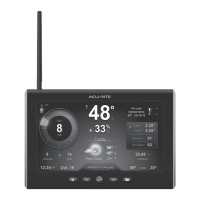
Weather Station Display
model 06088
Question and Answer IconNeed help?

Do you have a question about the ACU-RITE 06088 and is the answer not in the manual?

Overview

This document describes the AcuRite High Resolution Weather Station Display, model 06088, and the AcuRite 5-in-1 PRO+ Weather Sensor, model 06014.

Function Description

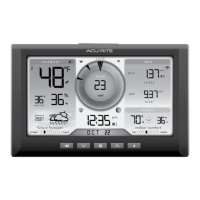
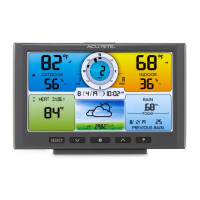
The AcuRite High Resolution Weather Station Display (model 06088) is a device that provides real-time weather information and forecasts. It features wireless internet connectivity to download forecasts from Dark Sky and can optionally share weather data with Weather Underground. The display shows various weather metrics including current outdoor temperature and humidity, wind speed and direction, rainfall, barometric pressure, and a 2-day forecast. It also includes indoor temperature and humidity readings, a clock, date, and seasonal information like heat index, dew point, and wind chill. The display can be expanded to include lightning detection by connecting a compatible AcuRite Lightning Sensor (sold separately).

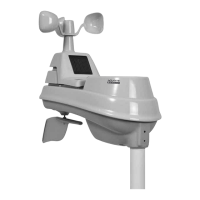
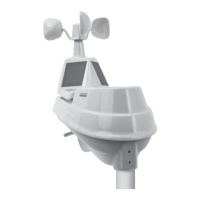
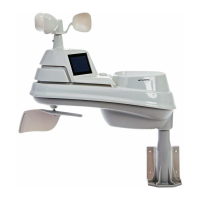
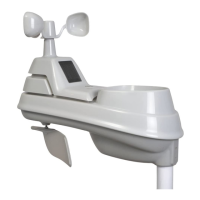
The AcuRite 5-in-1 PRO+ Weather Sensor (model 06014) is an outdoor sensor that measures temperature, humidity, wind speed, wind direction, and rainfall. It transmits this data wirelessly to the display unit. The sensor features a solar cell panel that converts sunlight into power to run an internal aspirating fan, which draws ambient air into the sensor to reduce solar radiation heating for more accurate temperature measurements.

Important Technical Specifications

Display (Model 06088):

  • Display's Built-In Temperature Sensor Range: 32°F to 122°F (0°C to 50°C)
  • Display's Built-In Humidity Sensor Range: 1% to 99%
  • Operating Frequency: 433 MHz
  • Power: 5V power adapter
  • Data Reporting: Indoor temperature & humidity: 60-second updates
  • Wi-Fi: Weather Underground™ and Dark Sky connectivity require an active 2.4 GHz broadband internet connection.
  • Auto Dim Mode: Automatically adjusts display brightness based on time of day (100% brightness from 6:00 a.m. - 9:00 p.m.; 15% brightness from 9:01 p.m. - 5:59 a.m.).

5-in-1 PRO+ Weather Sensor (Model 06014):

  • Temperature Range (Outdoor): -40°F to 158°F (-40°C to 70°C)
  • Humidity Range (Outdoor): 1% to 99%
  • Wind Speed: 0 to 99 mph (0 to 159 kph; 0 to 86 knots)
  • Wind Direction Indicators: 16 points
  • Rainfall: 0.01 inches (0.25 mm) and up
  • Wireless Range: 330 ft / 100 m (depending on home construction materials)
  • Operating Frequency: 433 MHz
  • Power: 4 x AA alkaline or lithium batteries
  • Data Reporting: Wind Speed: 18-second updates; Direction: 30-second updates; Outdoor temperature & humidity: 36-second updates.
  • Battery Type: Lithium batteries are recommended for temperatures below -4°F (-20°C).

Usage Features

Display Setup and Wi-Fi Connectivity:

  • The display automatically enters setup mode upon first power-on.
  • Users can adjust time zone, DST settings, clock, calendar, pressure units, temperature units, wind speed units, rainfall units, distance units, auto dim, auto cycle, and alert volume.
  • Wi-Fi setup involves connecting to the display's Wi-Fi signal (AcuRite 06088M), accessing the settings website (192.168.4.1) in a web browser, and entering wireless network credentials.
  • Optional integration with Weather Underground requires creating an account and entering the WU Station ID and Station Key during Wi-Fi setup.
  • The display supports only 2.4 GHz wireless networks.
  • Forecasts from Dark Sky are downloaded within an hour of Wi-Fi connection.

Display Operation:

  • Menu Navigation: Access the main menu using the "gear" button to view records, set alarms, set up an additional sensor, and more.
  • Records: View high and low values for each location and trends in a graphic chart.
  • Alarms: Set alarms for temperature, humidity, wind speed, and rainfall. The display includes an alarm clock feature and storm alarm (activated when barometric pressure drops).
  • Display Settings: Adjust brightness, contrast, tint, display mode (screen cycle), and backlight (auto dim, sleep mode).
  • Connections: Add, remove, or view sensor information, or enable Wi-Fi setup.
  • Units: Change measurement units for barometric pressure, temperature, wind speed, rainfall, and distance.
  • Calibrate: Adjust display or sensor data for accuracy.
  • Factory Reset: Revert the display to factory defaults.
  • Weather Forecast: Provides 2-day forecasts from Dark Sky when connected to Wi-Fi. If not connected, the forecast is generated using data from the outdoor sensor and a self-calibrating forecasting algorithm (Learning Mode).
  • Moon Phase: Displays moon phases between 7:00 p.m. and 5:59 a.m. when conditions allow.
  • Messages: Displays real-time weather information and alert messages on the Weather Dashboard. Users can manually cycle through messages.

5-in-1 Sensor Setup and Installation:

  • A-B-C Switch: Set the A-B-C switch inside the battery compartment to match the display unit for synchronization.
  • Battery Installation: Requires 4 AA alkaline or lithium batteries. Lithium batteries are recommended for low temperatures.
  • Rain Gauge Stabilizer: A plastic tab must be removed from the bottom of the sensor for the rain gauge to function.
  • Placement Guidelines:
    • Mount the sensor at a minimum height of 5 feet (1.5 meters) off the ground in an open area. Higher (33 feet/10 meters) is better for wind measurements.
    • Install the sensor with the solar cell facing SOUTH to ensure maximum sun exposure and proper wind direction orientation.
    • Ensure the sensor is level using the built-in bubble level.
    • Avoid obstructions above or around the sensor.
    • Place units out of direct sunlight and away from heat/moisture sources or vents.
    • Maintain a distance of at least 3 feet (.9 m) from electronic devices to prevent wireless interference.
    • Display and sensor(s) must be within 330 feet (100 m) of each other.
  • Rain Gauge Calibration: The rain gauge can be calibrated for improved accuracy by pouring a measured amount of water (1 cup/8oz) through it and adjusting calibration screws if the display doesn't register 1.06".

Maintenance Features

Display Care:

  • Clean with a soft, damp cloth.
  • Avoid caustic cleaners or abrasives.
  • Keep away from dust, dirt, and moisture.
  • Regularly clean ventilation ports with a gentle puff of air.

Troubleshooting:

  • No Reception: Relocate units within 330 ft, ensure at least 3 ft from electronics, use standard alkaline/lithium batteries, and resynchronize units by removing and reinstalling power/batteries.
  • Temperature Showing Dashes: Re-add the sensor to the display via the "Connections" sub-menu.
  • Inaccurate Forecast: Confirm Wi-Fi connection and correct postal code entry. If not connected to Wi-Fi, the forecast relies on the outdoor sensor.
  • Inaccurate Wind Readings: Check sensor location (minimum 5 ft high, no obstructions), ensure wind cups spin freely, and lubricate if necessary.
  • Display Screen Not Working: Check power adapter connection.
  • Display Not Connecting to Wi-Fi: Relocate display closer to router, verify correct network name (SSID) and password (case-sensitive), ensure DHCP is enabled on the router, and confirm the router broadcasts a 2.4 GHz network.
  • Data Not Uploading to Weather Underground™: Verify correct Station ID and Station Key entry on the Wi-Fi setup page.
  • Can't Load Wi-Fi Setup Page: Verify computer/mobile device is still connected to the display's Wi-Fi.

Battery Safety (for 5-in-1 Sensor):

  • Clean battery contacts.
  • Remove batteries if not used for an extended period.
  • Promptly remove dead batteries.
  • Dispose of used batteries properly.
  • Use only recommended battery types.
  • Do not incinerate, mix old/new batteries, or mix different types.
  • Do not use or recharge non-rechargeable batteries.
  • Do not short-circuit supply terminals.

ACU-RITE 06088 Specifications

General IconGeneral
BrandACU-RITE
Model06088
CategoryWeather Station
LanguageEnglish

Related product manuals